How to Run RAG Checker
RAG Checker automatically evaluates a RAG system’s factual accuracy (Factuality) and retrieval–generation performance
by comparing the Expected Response (ER) with the Target Response (TR).
Once you upload a dataset and create an evaluation task,
the system automatically calculates key metrics such as Precision, Recall, Faithfulness, and Hallucination,
enabling you to quantitatively assess the model’s factual consistency and context utilization.
Step 1. Prepare the Dataset
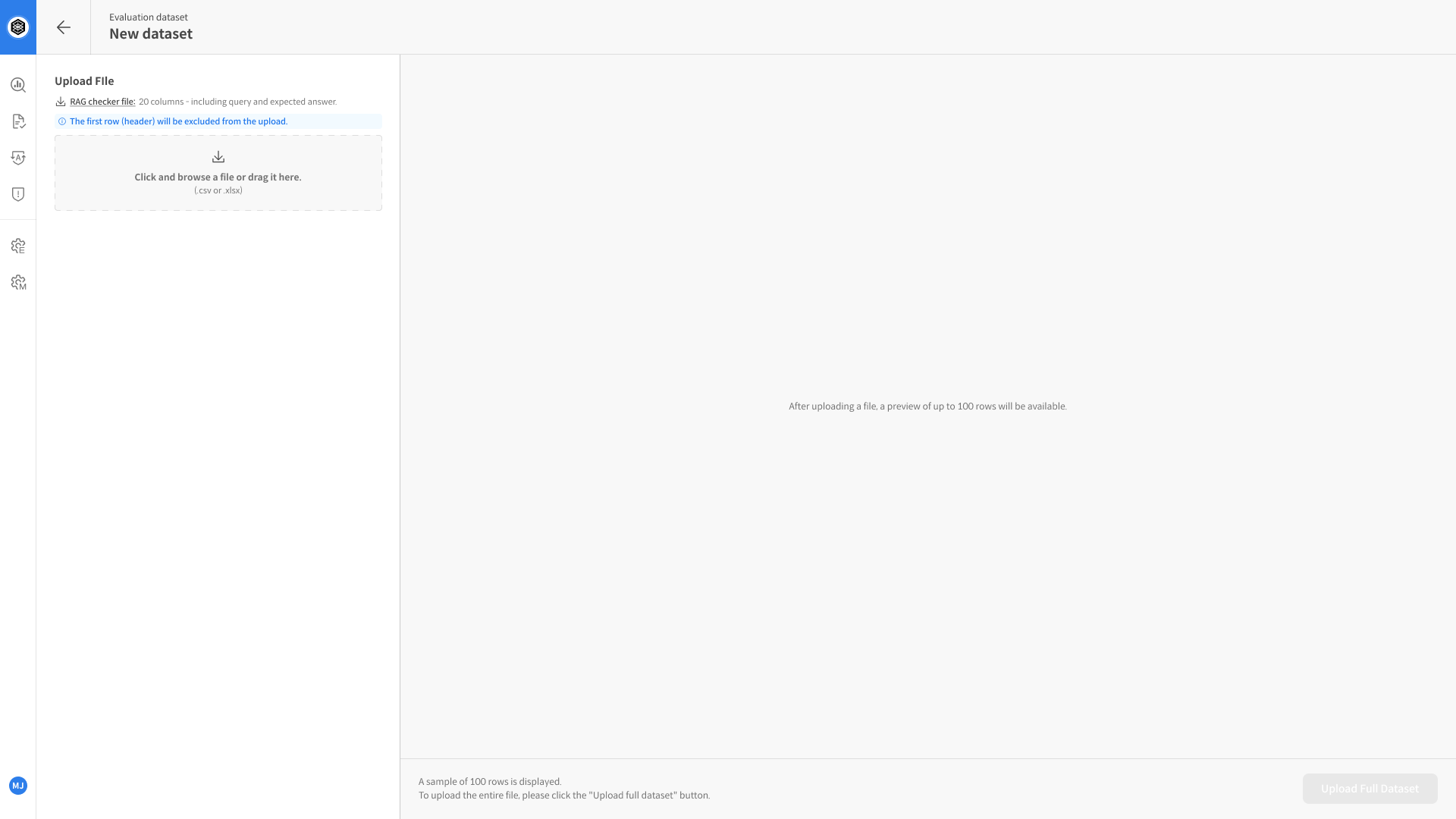
Before running the evaluation, prepare a dataset that includes the following columns:
📂 View Dataset Upload Guide
| Column | Description |
|---|---|
query | The user’s input question. |
expected_response | The Expected Response (ER) — the reference or ground-truth answer for the query. |
response | The Target Response (TR) generated by the RAG system. |
retrieved_context1 | The document or passage retrieved by the model for answer generation. If multiple contexts are retrieved, add sequential columns such as retrieved_context2, retrieved_context3, and so on. |
- Supported file types:
.csv,.xlsx - Required columns:
query,expected_response,response,retrieved_context1
Step 2. Create a RAG Checker Task
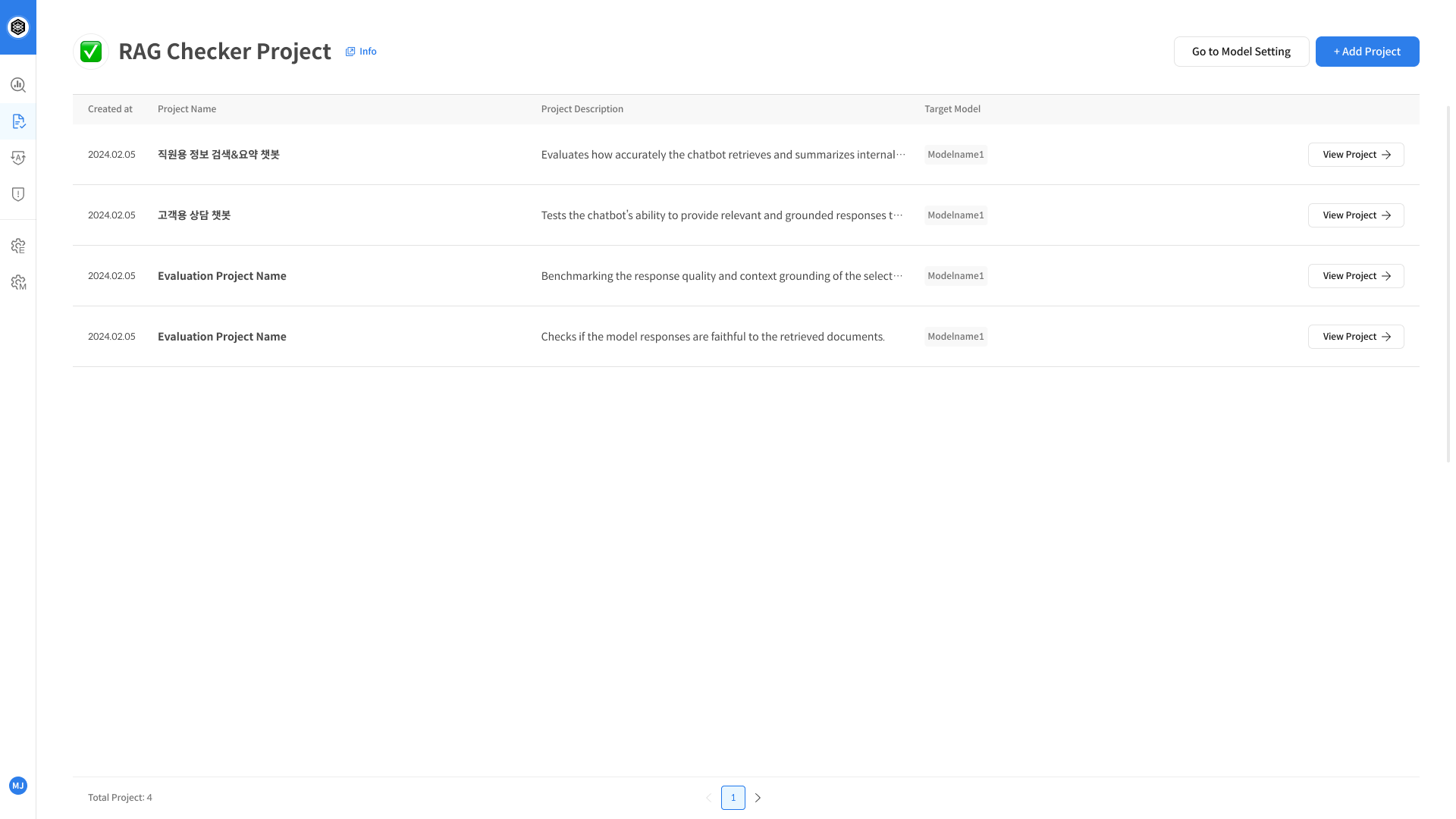
- In the left navigation panel, open RAG Checker.
- Click + Add Task in the upper-right corner.
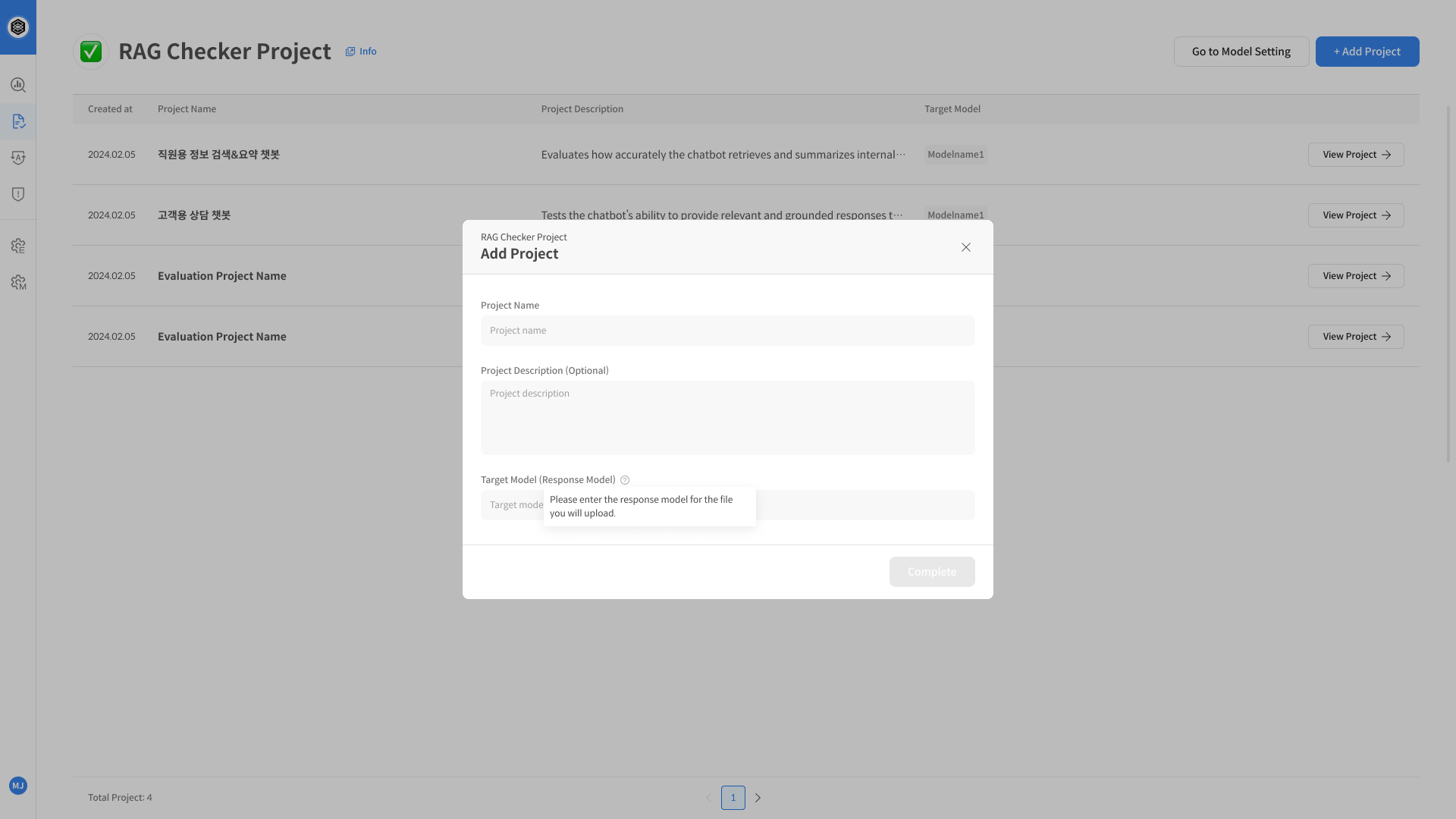
- In the dialog box, fill in the following information:
- Task Name – The name of the evaluation task.
- Description – A brief summary of the task.
- Target Model – The RAG system or LLM to be evaluated.
- Click [Create] to create the task.
Once the task is created, proceed to create an Evaluation Set.
Step 3. Create and Run an Evaluation Set
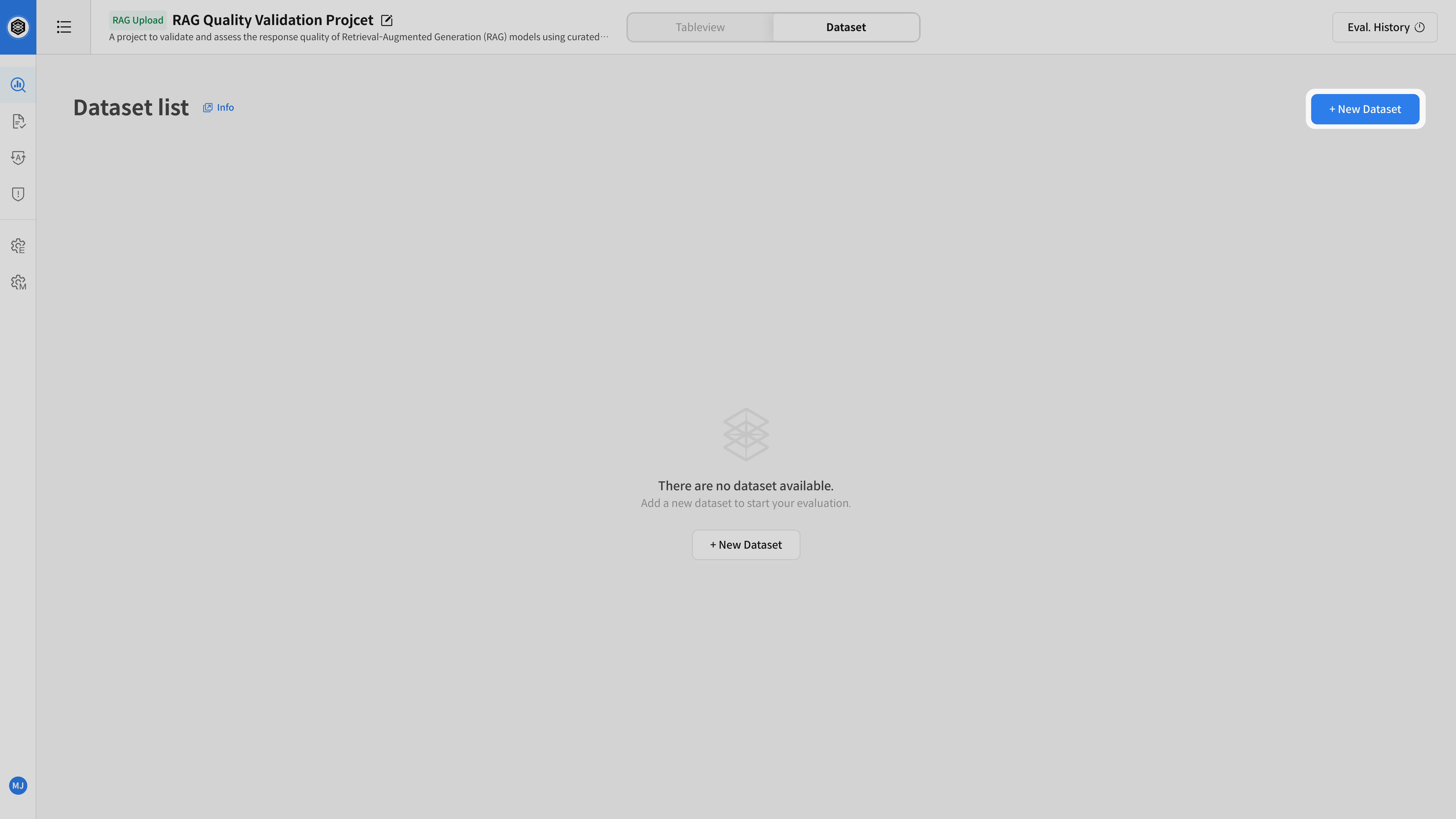
- Open the task detail page.
- Go to the [Evaluation Set] tab and click + New Eval Set.
- Configure the following settings:
- Decomposition Model – Breaks responses into verifiable claims.
- Entailment Model – Determines whether each claim is logically supported by the retrieved context.
- Set Name / Description – Specify a name and optional description for the evaluation set.
- Select the dataset for evaluation.
- Click [Start Evaluation] to begin the evaluation.
Once started, RAG Checker automatically performs the following steps:
- Decomposes the model response into verifiable claims.
- Determines whether each claim is entailed by the retrieved passages.
Once the evaluation is complete, proceed to the next step to review and analyze the results.