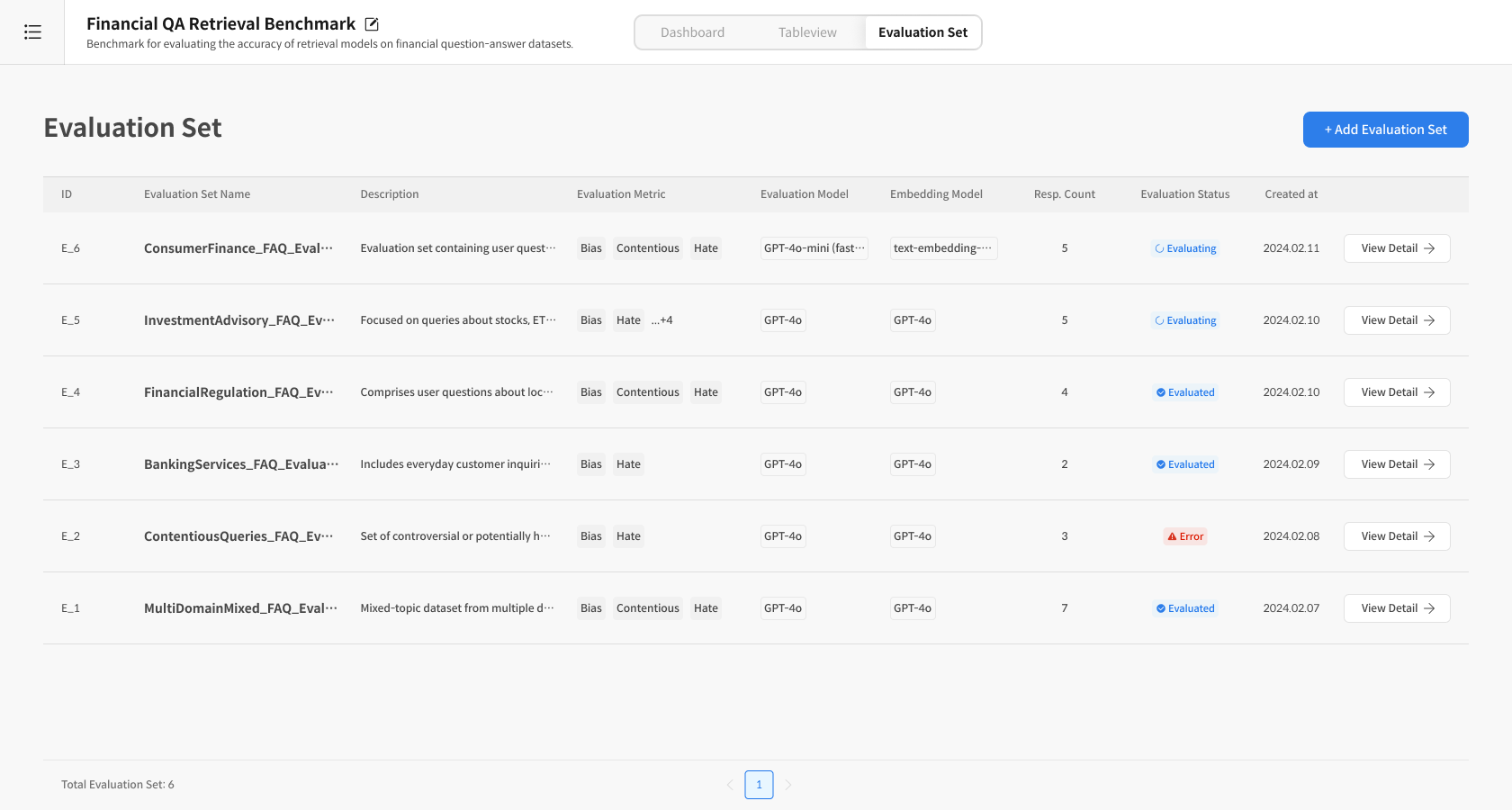
Step 2. Create and Run Eval Set
2-1) Prepare for Evaluation
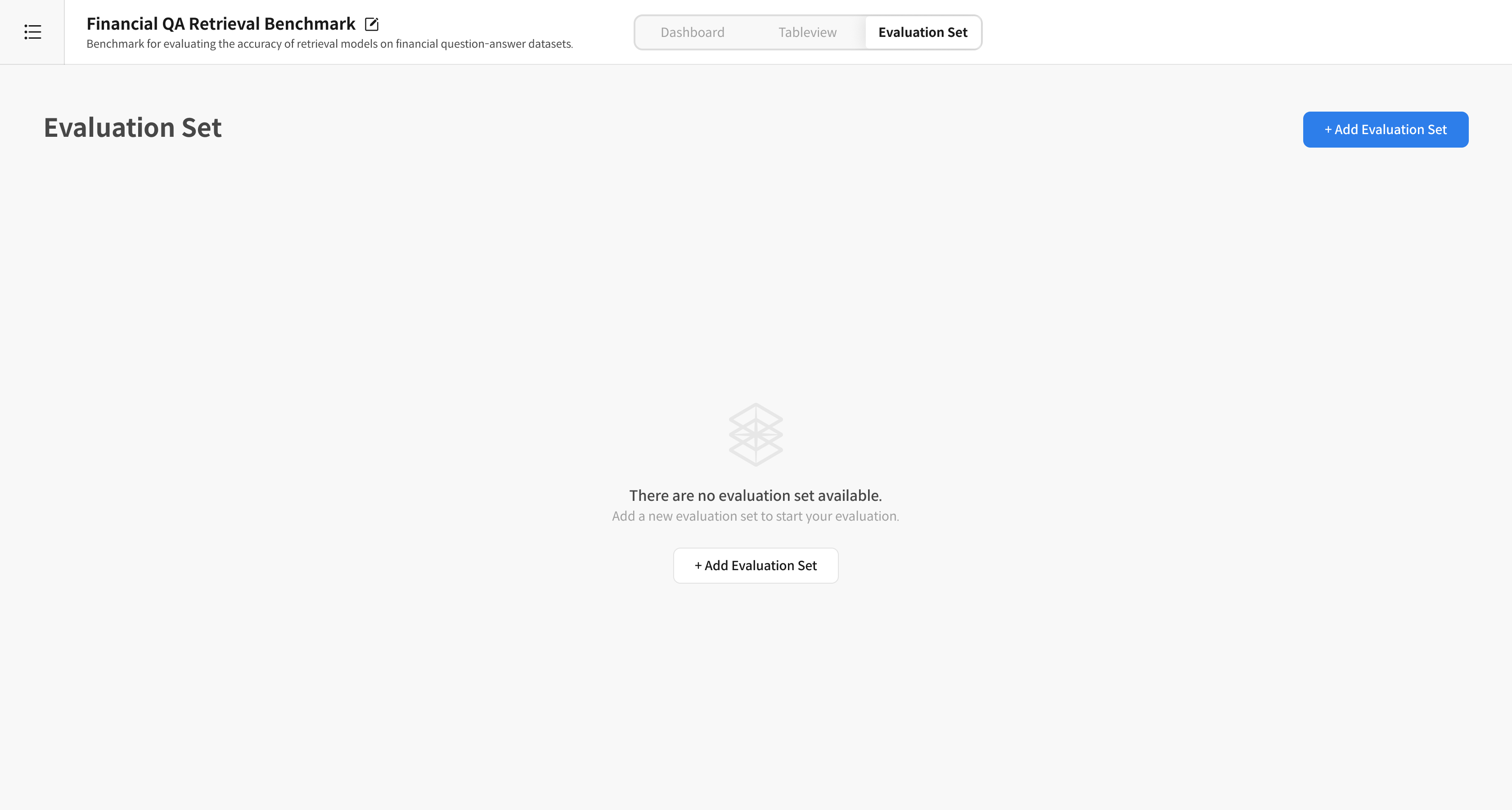
① Enter Evaluation Set Creation
Click on the created Task → Select [Evaluation Set] from the top tab Click the [+ Add Evaluation Set] button
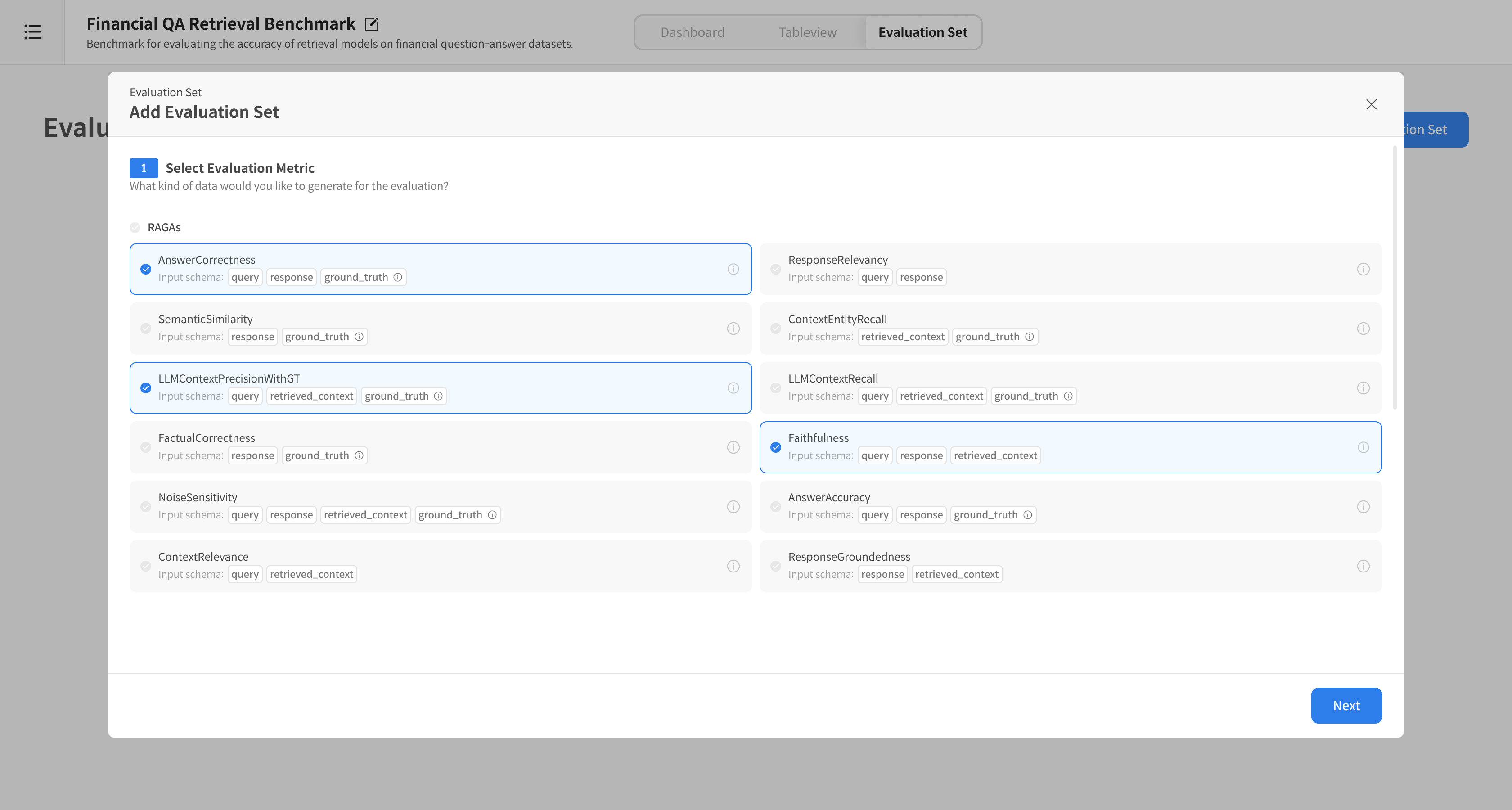
② Select Evaluation Metric
Select the desired RAGAs Metric, such as Answer Correctness, Groundedness, Response Relevancy, etc.
⚠️ Each Metric requires different columns, so the Response Dataset can only be selected if it contains the corresponding columns.
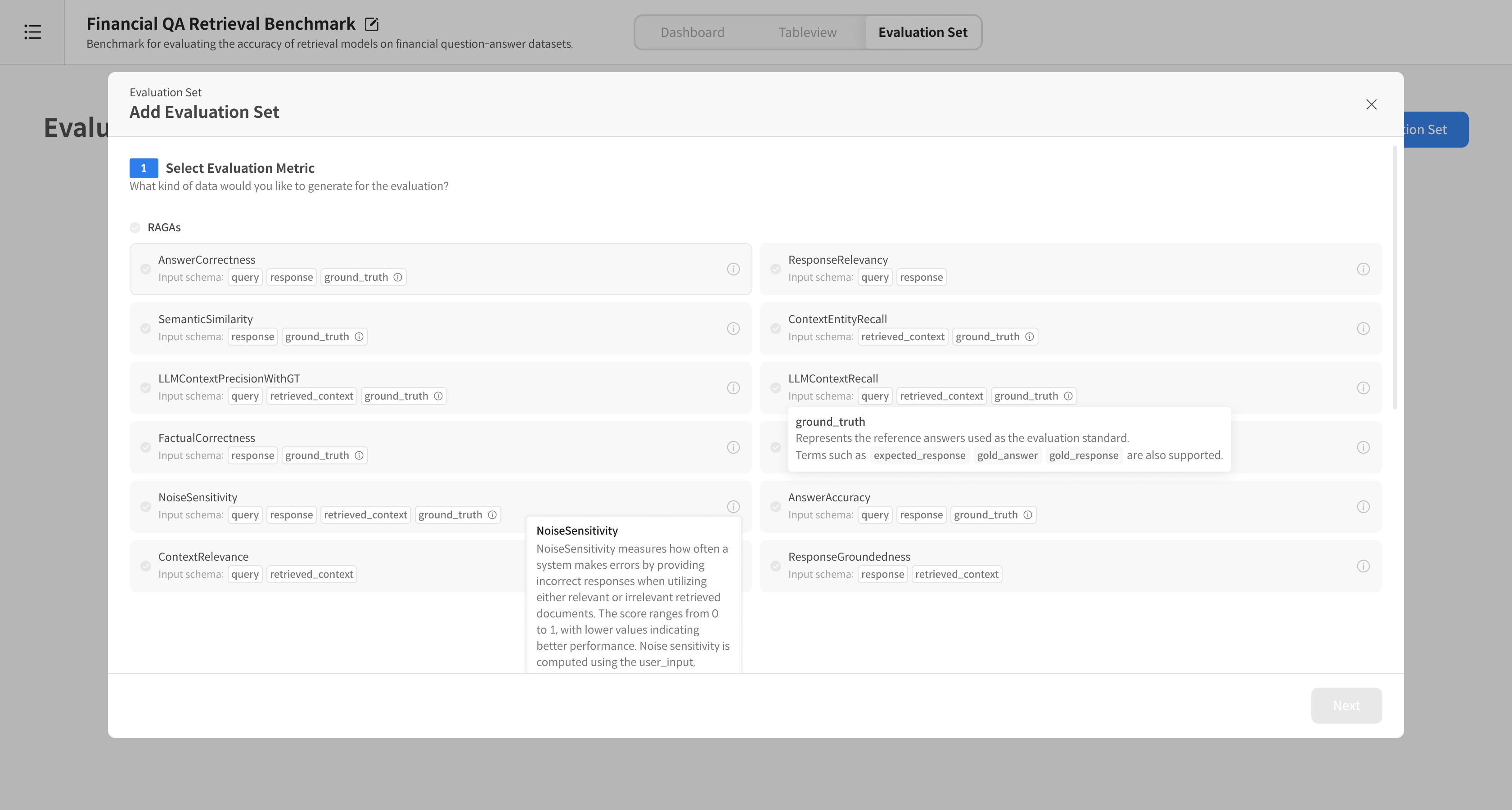
ⓘ You can check the detailed description of the metric by hovering over the icon.
③ Select Evaluation Model
Select the model to proceed with the evaluation.
e.g., GPT-4o-mini, GPT-4, etc. (Only models that support the selected Metric can be selected)
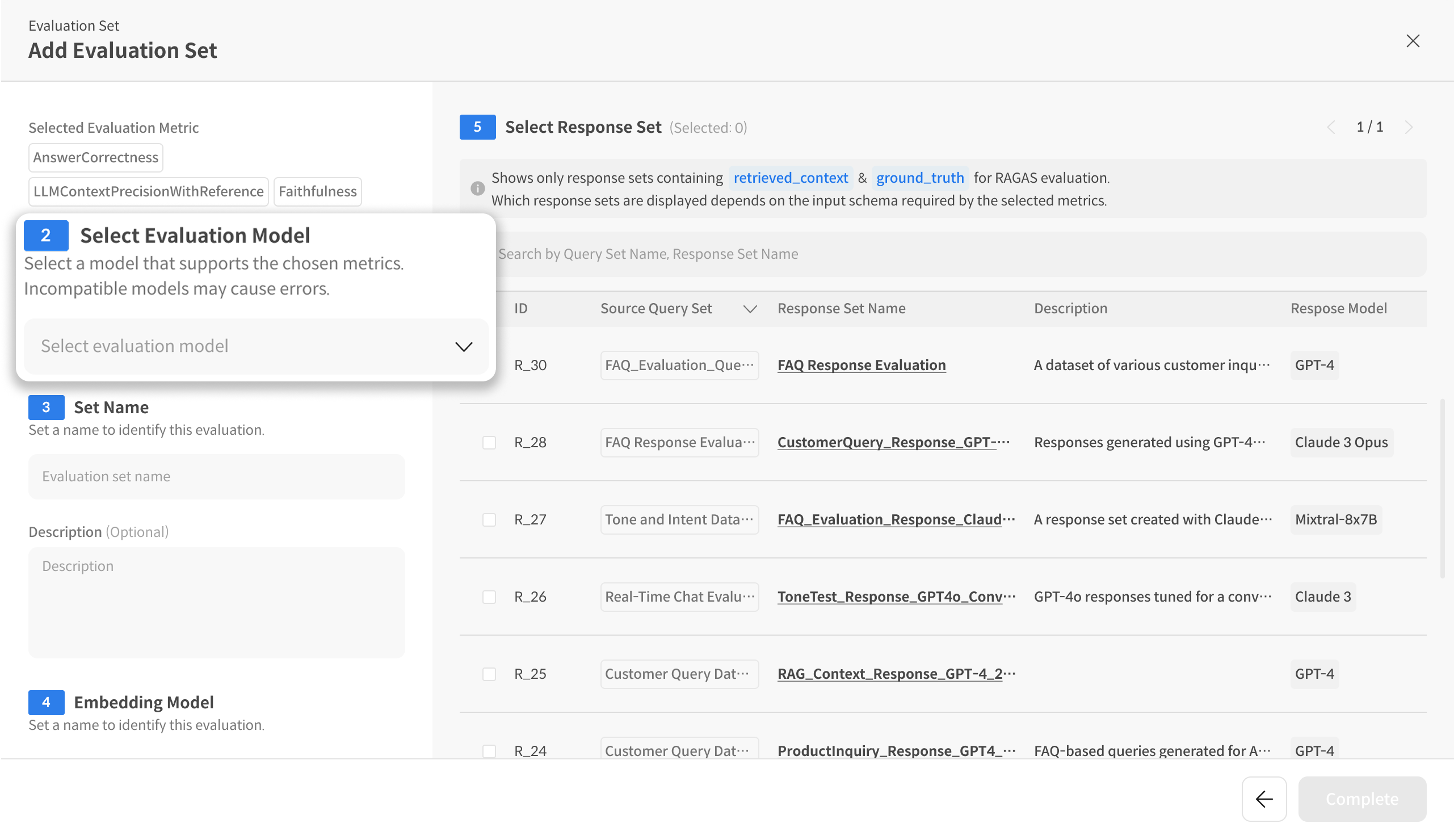
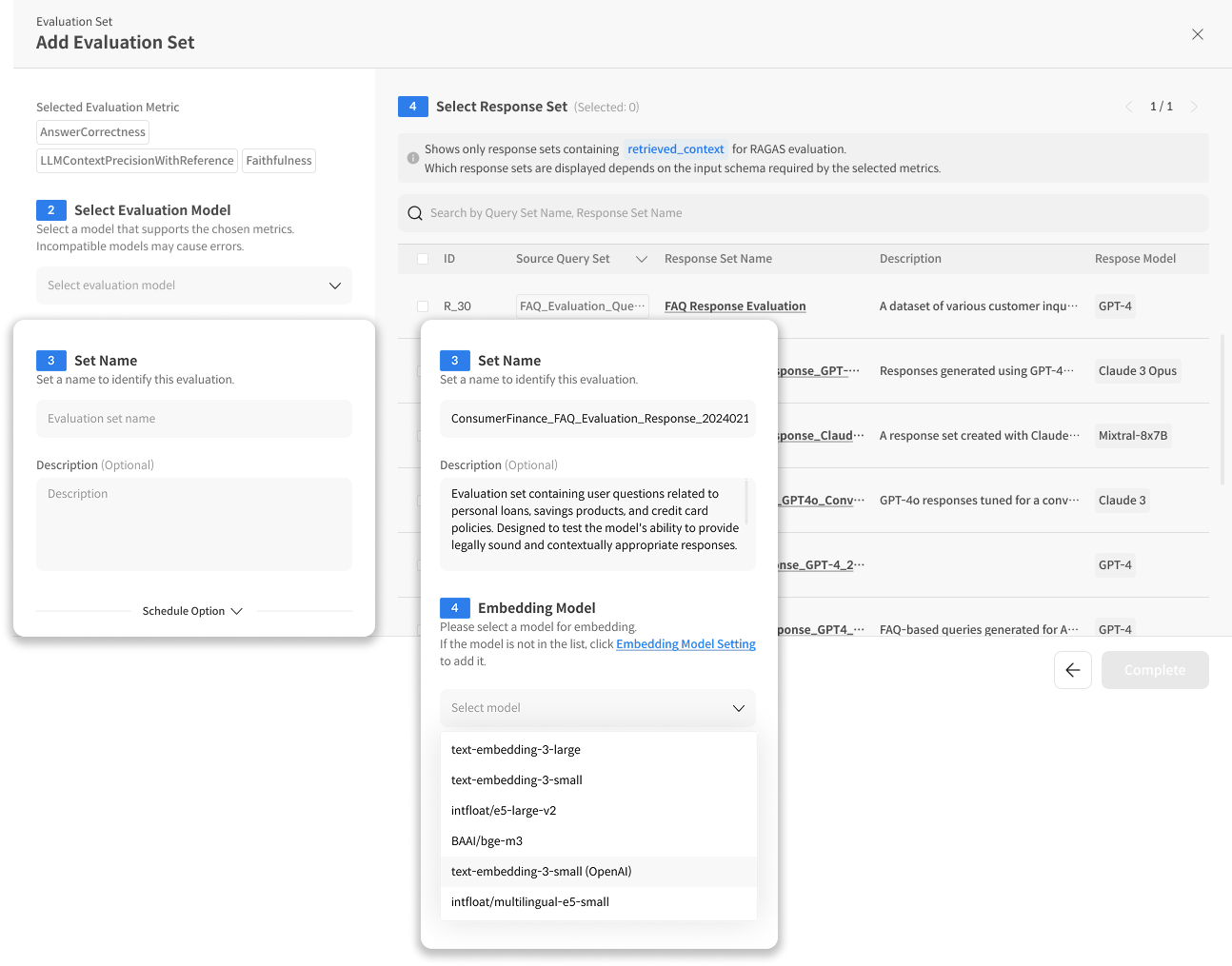
④ Enter Evaluation Set Information
- Enter the Evaluation Set name and description
- (If necessary) Enter Embedding Model information
※ Embedding Model required Metrics: Answer Correctness, Response Relevancy, Semantic Similarity
⑤ Select Response Set
Select the Response Dataset to be evaluated with the checkbox.
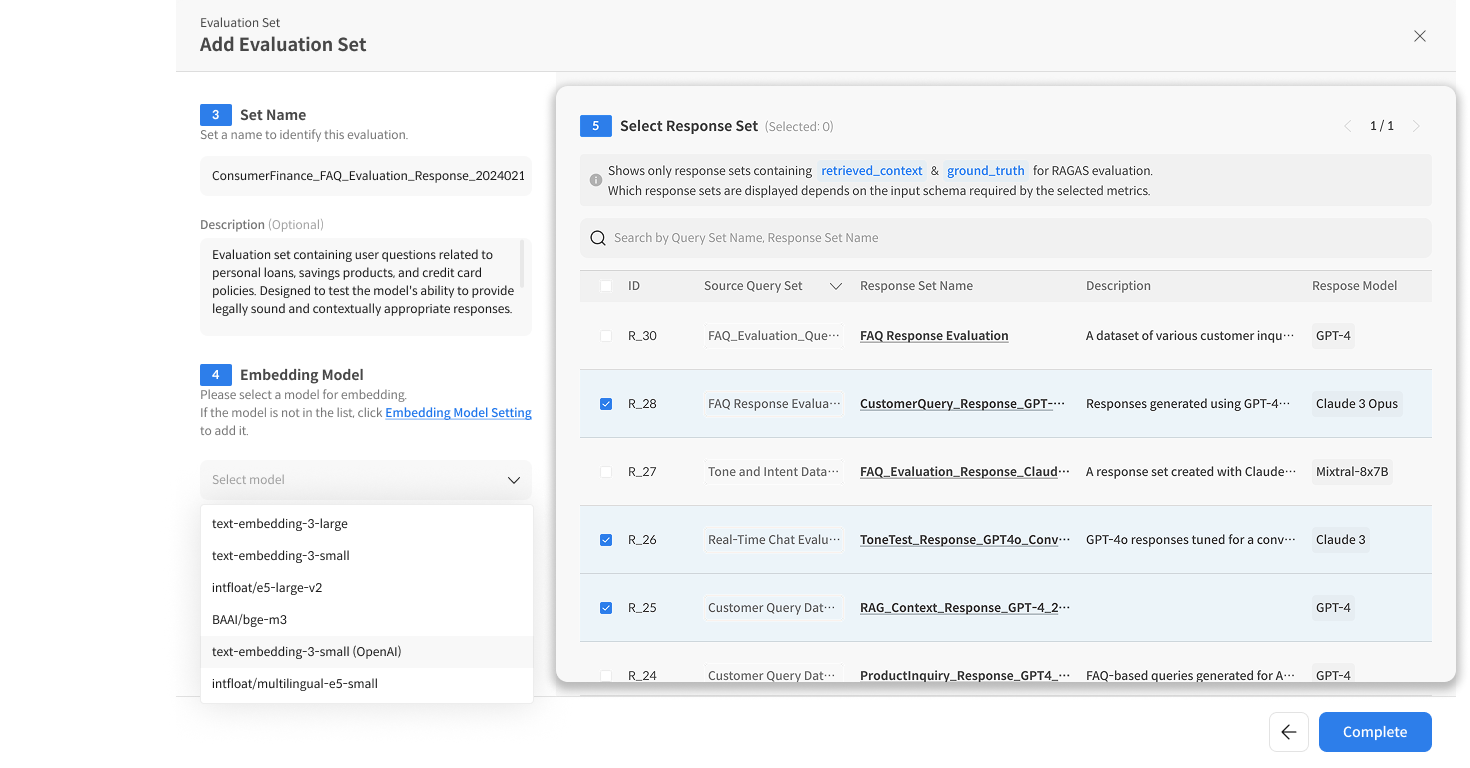
⑥ Complete Evaluation Set Creation
Click the [Complete] button → Create and start running the Evaluation Set.
2-2) Check and Manage Evaluation Progress
⑦ Check Progress Status
You can check the evaluation progress in the [Evaluation Set] list.
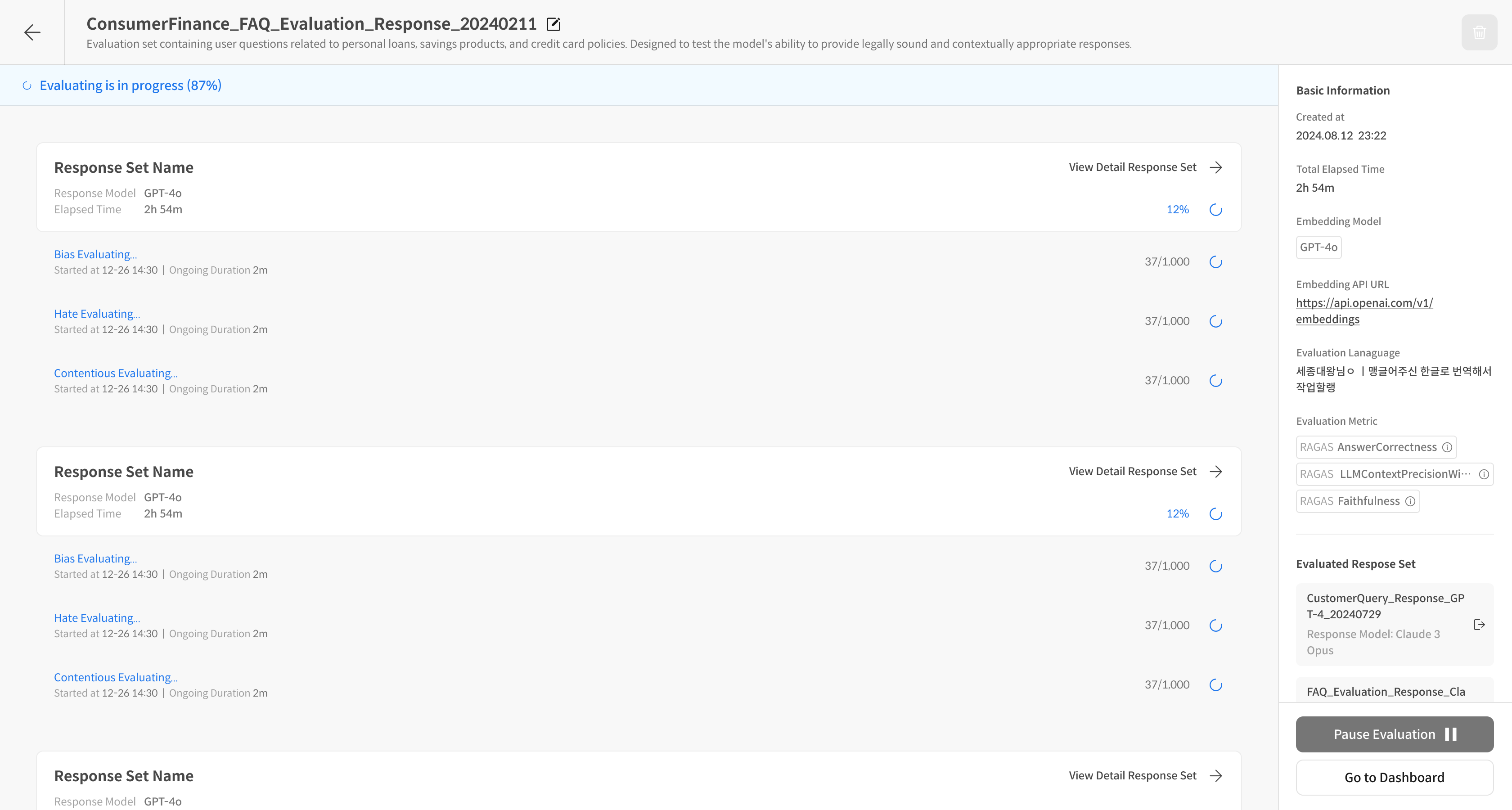
⑧ Check Detailed Evaluation Progress Status
Click [View Detail] → You can check the detailed evaluation progress for each Response Set.
When the evaluation is complete, you can check the results on the dashboard: