Harness Task
The Harness Task in Datumo Eval allows users to evaluate LLM performance on standardized benchmark datasets such as MMLU, HellaSwag, and ARC.
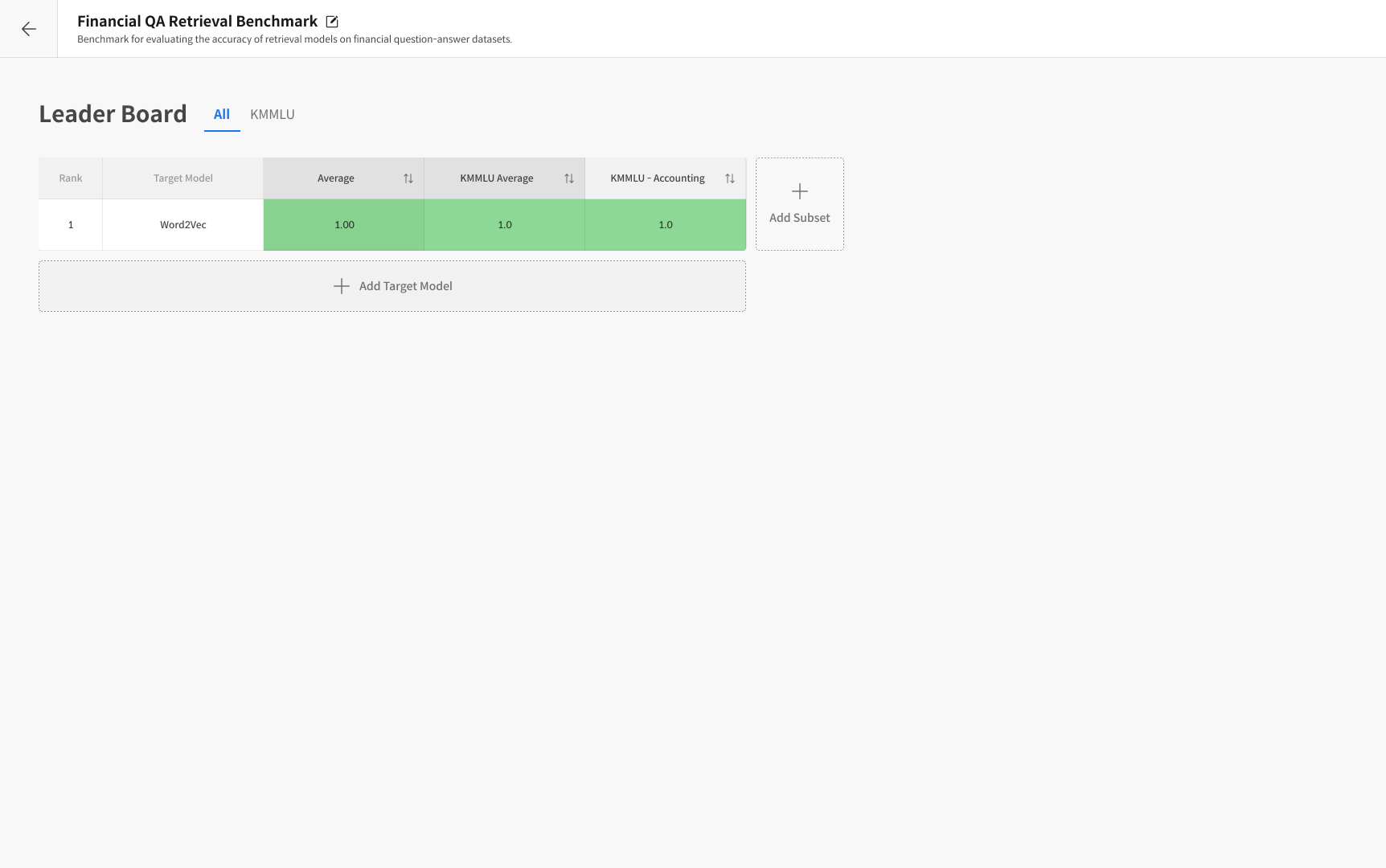
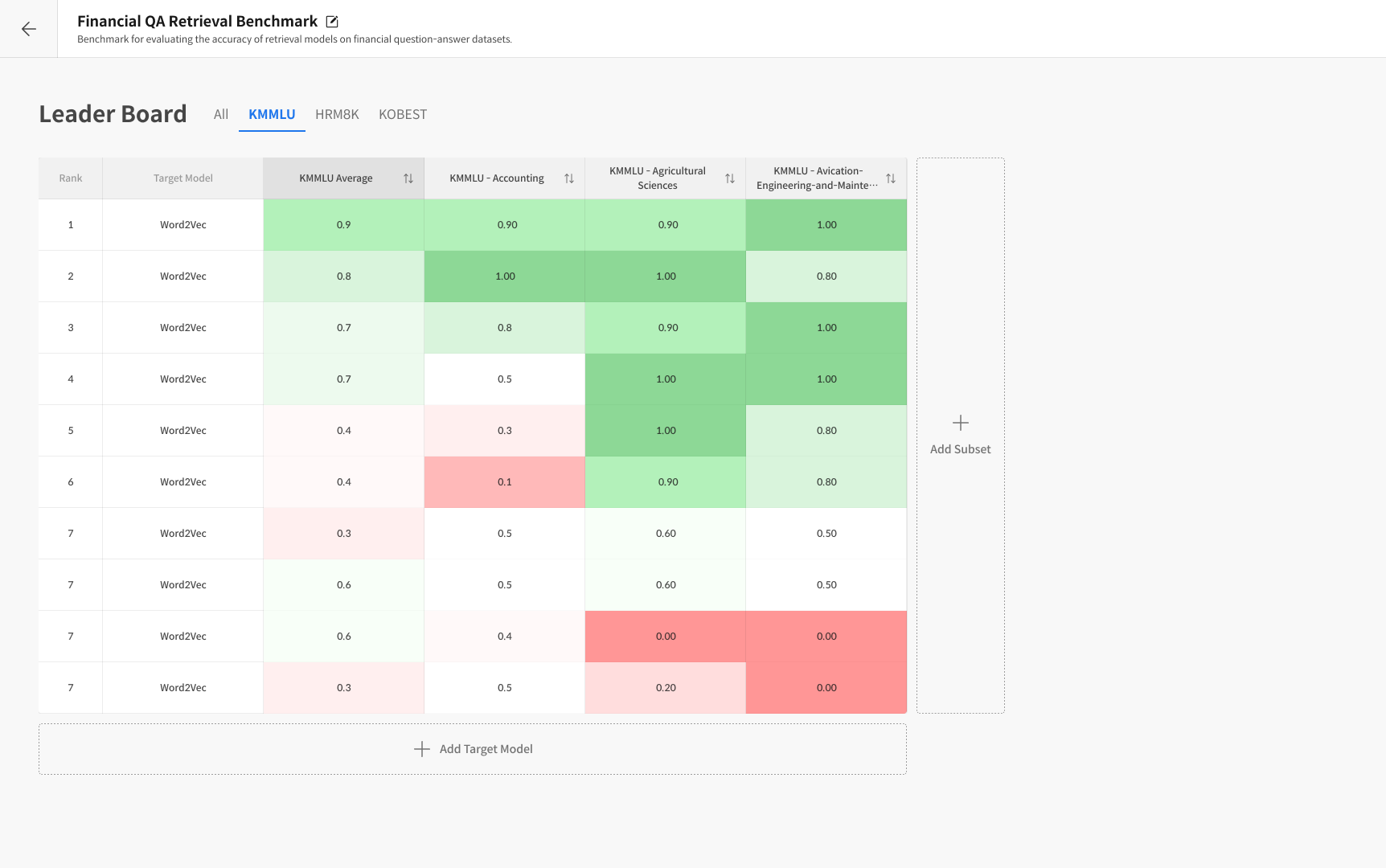
It automatically measures model performance using these datasets and visualizes the results in a leaderboard for easy model-to-model comparison.
:::Tip Terminology
-
Dataset
→ A complete benchmark data group used for evaluation.
Examples include MMLU, HellaSwag, and ARC.
Each dataset is designed with a specific evaluation purpose such as knowledge reasoning, common-sense inference, or problem-solving. -
Subset
→ A domain-specific evaluation set within a dataset.
For example, the MMLU dataset contains subsets such as college_physics, law, computer_science, and math.
In short, a dataset is the broader benchmark group, and a subset is its specialized domain section. -
Task
→ A single evaluation instance configured with a specific combination of Dataset, Subset, and Target Model. -
Leaderboard
→ A visualization board that compares results from multiple models and is automatically updated after each evaluation. :::
Step 1. Task 생성
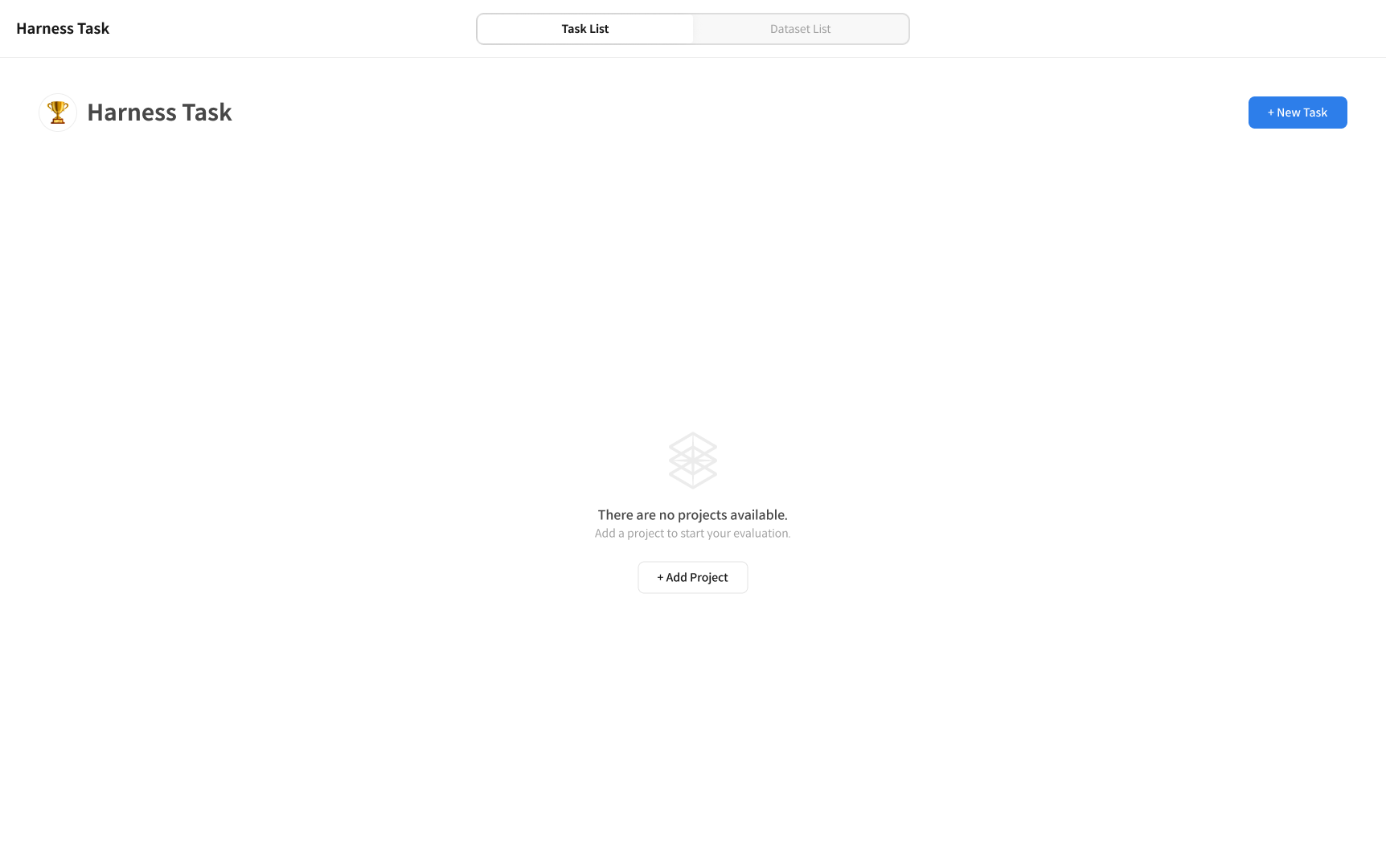
① Access the Harness Task Page
Click [+ New Task] in the top-right corner of the Harness Task page to start a new evaluation.
② Enter Task Information
Enter the Harness Task name, select the Target Model, and choose the desired Subset for evaluation.
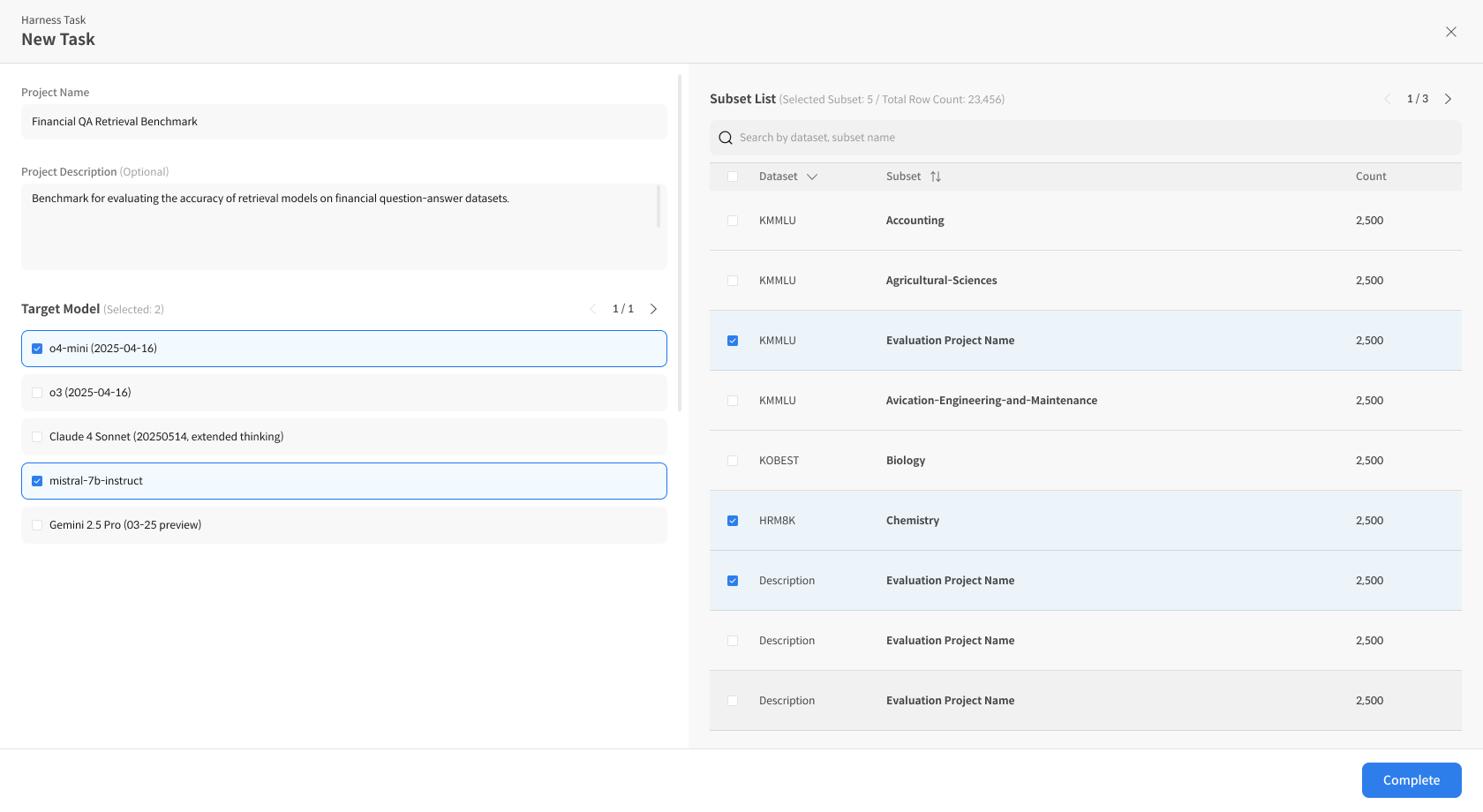
③ Complete and Run the Evaluation
Click [Complete] to create and automatically start the evaluation.
Results will be displayed in the leaderboard view.
After the evaluation, you can add additional Subsets or Target Models using [Add Subset] or [Add Target Model] to expand your analysis.