Invite to Workspace (Super Admin only)
💡 The user to be invited must have an account created in the Global User List first.
① Enter [User Management] menu
Check the workspace user list.
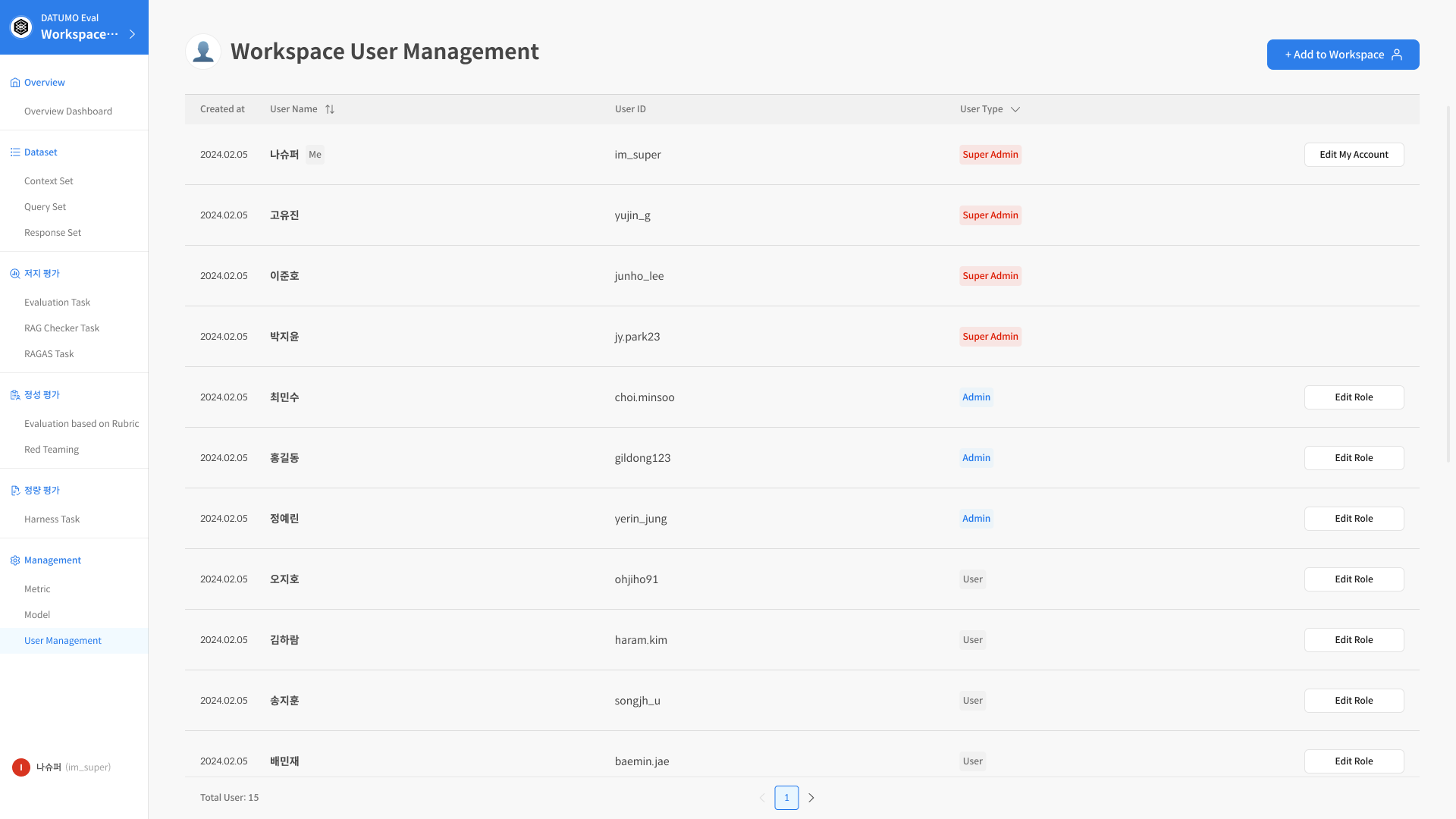
② Click [+ Add to Workspace]
Search for and select the user to invite.
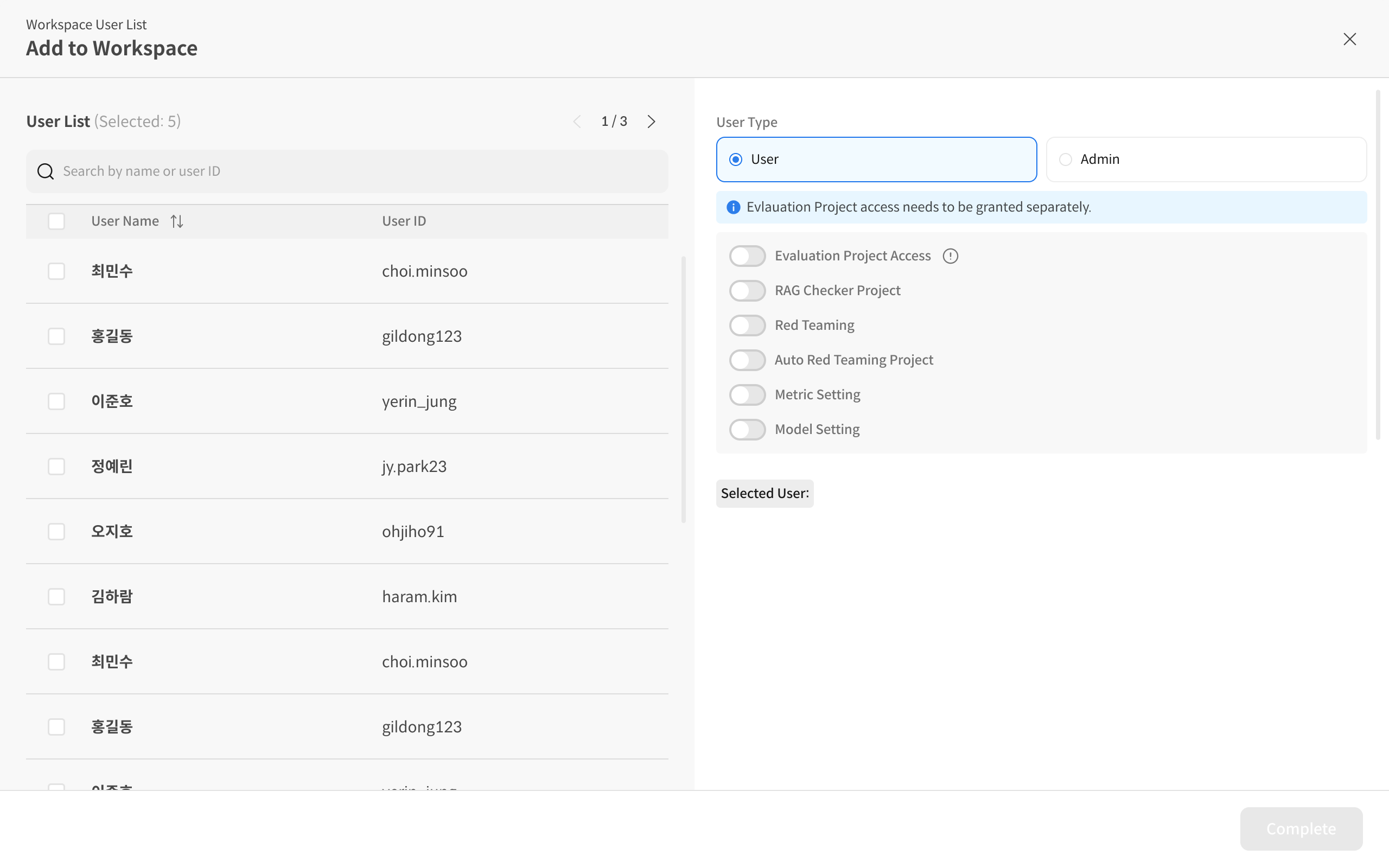
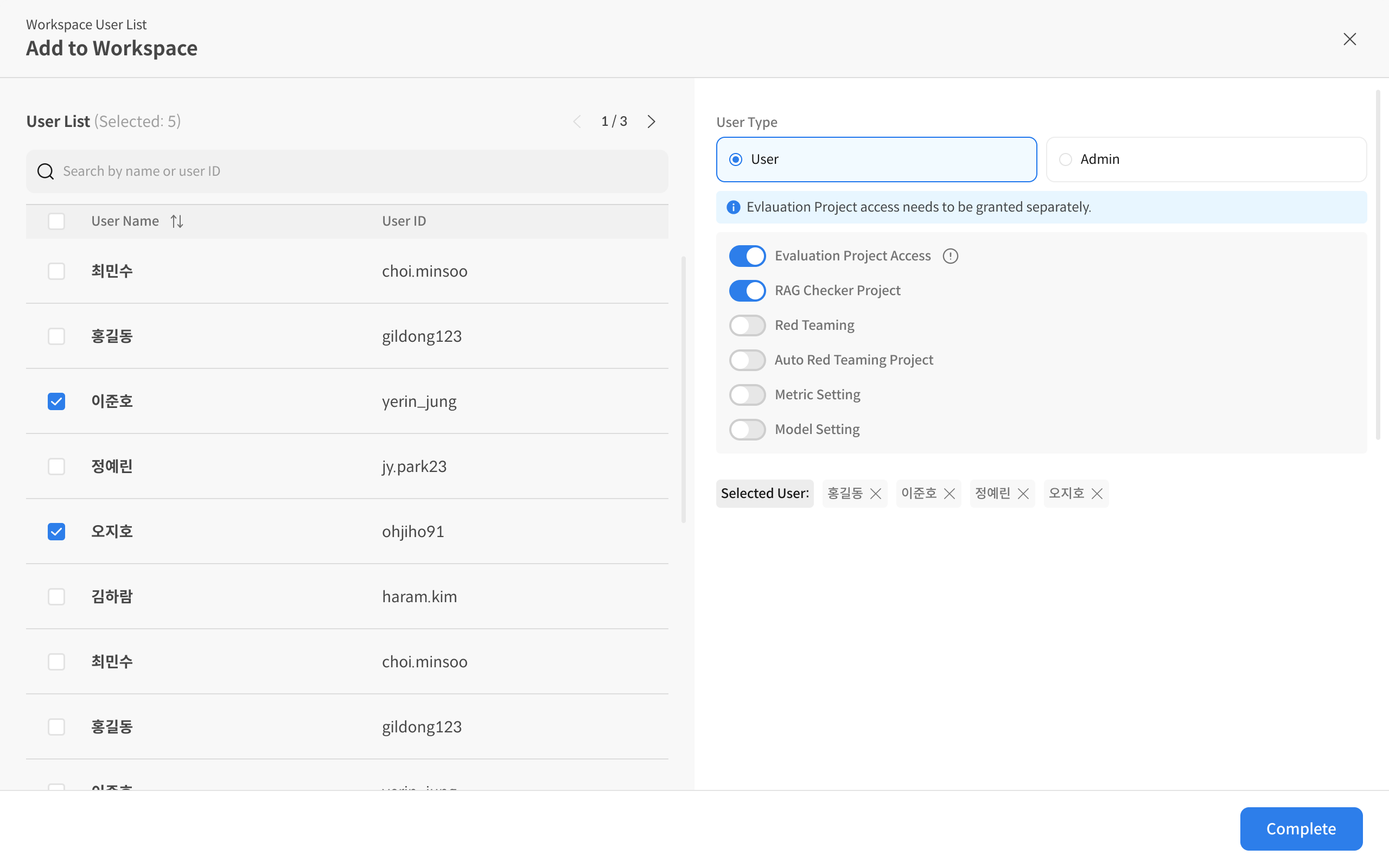
③ Assign role and complete invitation
Assign a Role and initial access rights (if necessary), then complete the invitation with [Complete].
🔎 Checklist
- Check if the target account exists in the Global User List
- It is recommended to start with the initial role as User (minimum permissions)
- Project-specific access rights can be subdivided as needed