Manage User Permissions (Also available for Admin)
💡 Super Admins and Admins can change permissions or remove already invited users from the workspace. Admins do not have permission to invite new users.
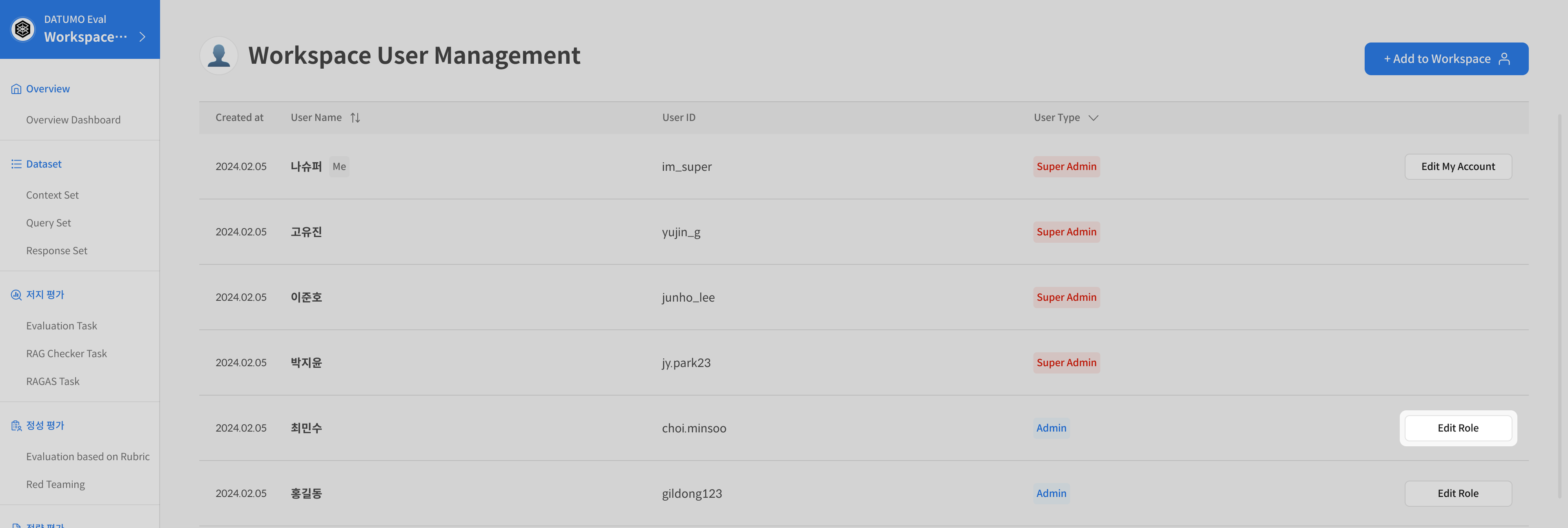
① Use the Edit function
Select the user whose permissions you want to modify, then click [Edit].
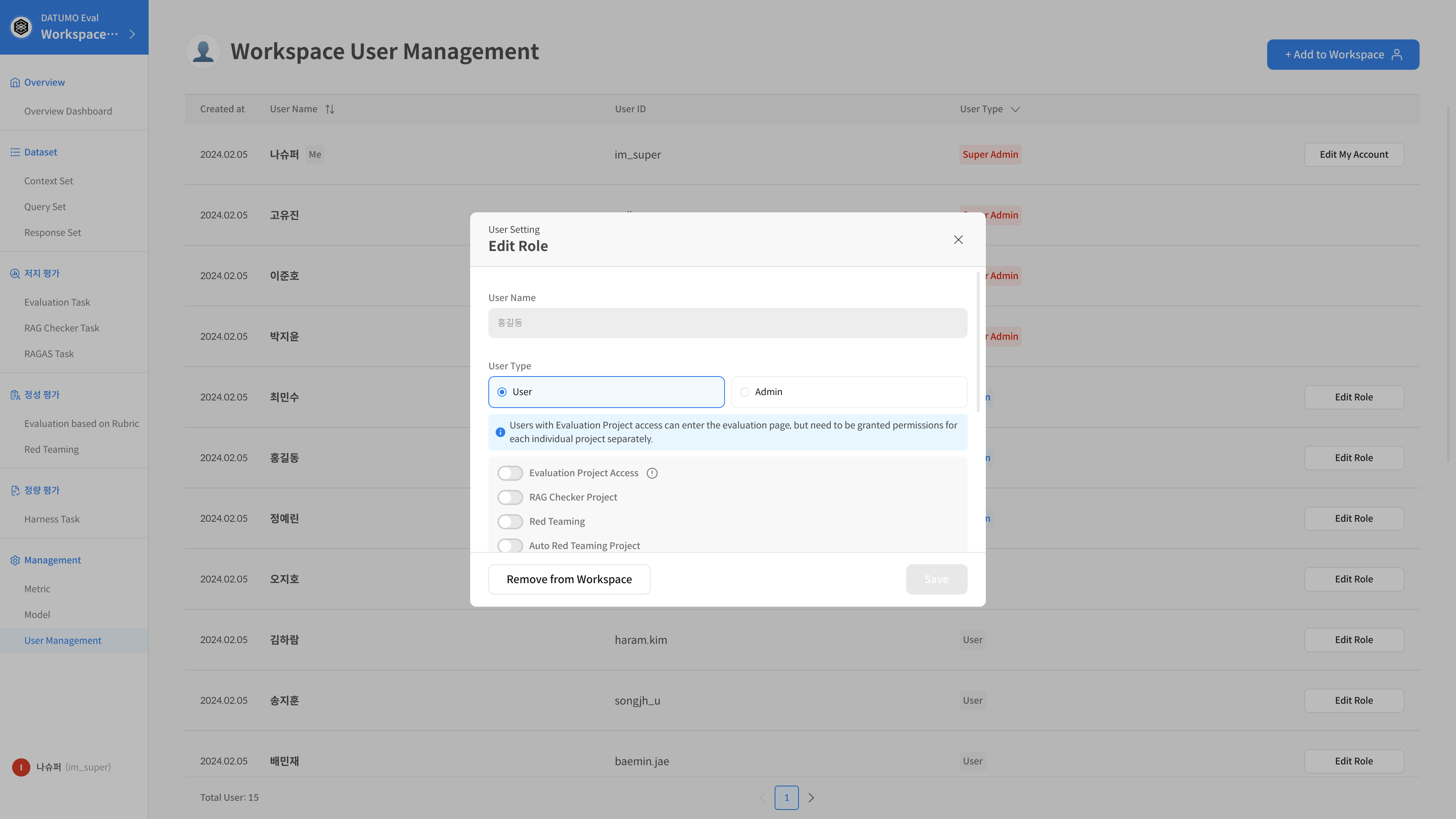
② Modify access permissions
Change Role: Switch between User ↔ Admin. Adjust feature-specific access permissions as needed.
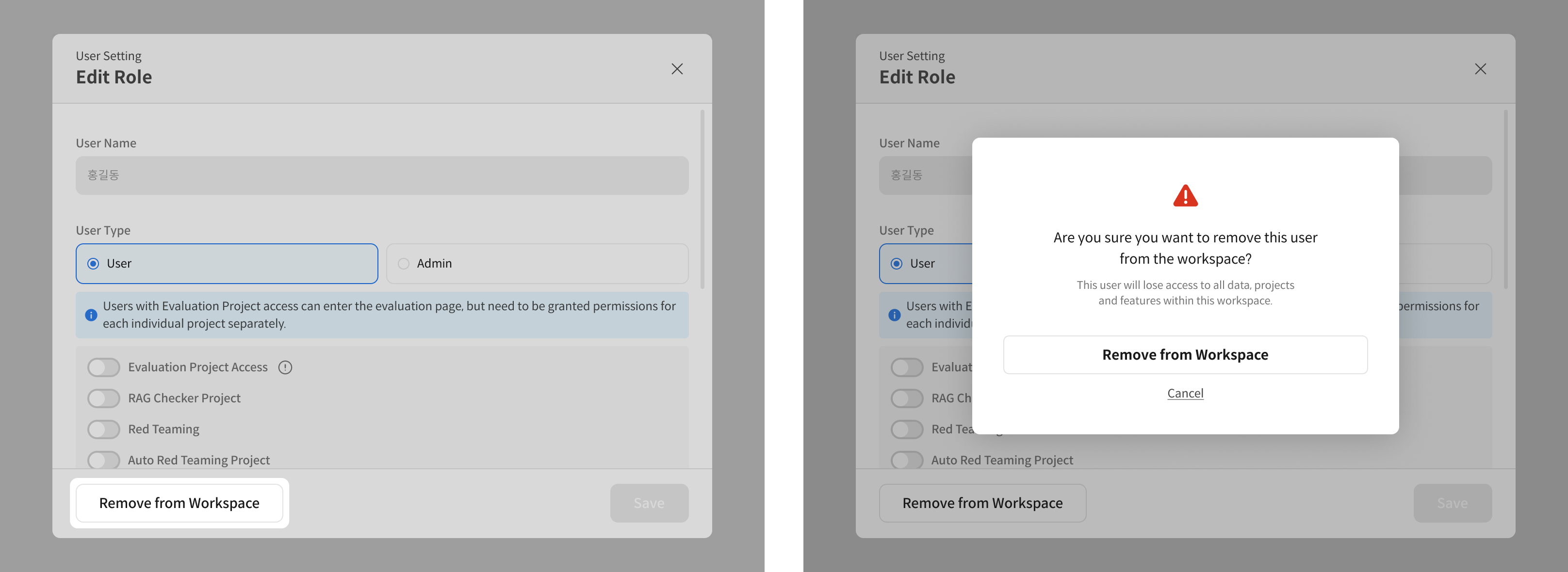
③ Remove user from workspace
Clicking [Remove from Workspace] will keep the account but remove access to that workspace.
Operational Tips
- Start new invitations with the minimum permission (User) → upgrade permissions on a project basis if necessary.
- When a project ends or a role changes, be sure to revoke permissions or remove the user from the workspace.