Running Evaluation
The Running Evaluation page explains how to run automated evaluations
by selecting a target model and an evaluation model based on the dataset you created.
Depending on the type of uploaded data, the evaluation interface may differ slightly.
This guide focuses on the common process across all cases.
- Run Auto-Evaluation: Execute automatic evaluation using selected target and evaluation models
- Monitor Progress: Check real-time progress and status of the evaluation
- View Results & Duration: After completion, review evaluation results and time taken
① Start Evaluation
Once dataset creation is complete, click the Evaluate Dataset button to begin evaluation.
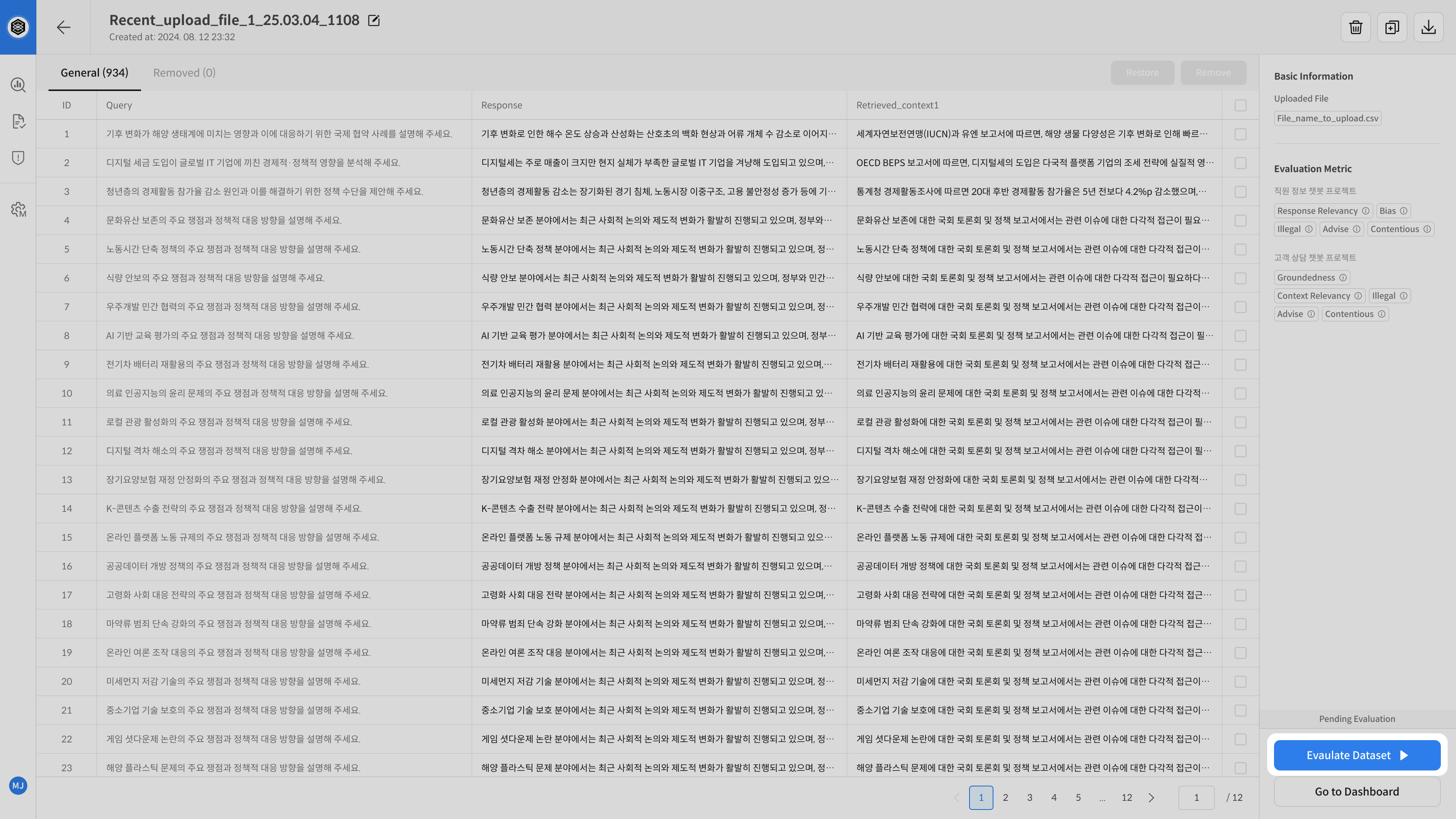
② Select Evaluation Models
Click the Start Evaluation button to open the model selection modal.
Choose the Target Model and Evaluation Model you want to use.
The number and type of selectable models depend on the Upload Type.
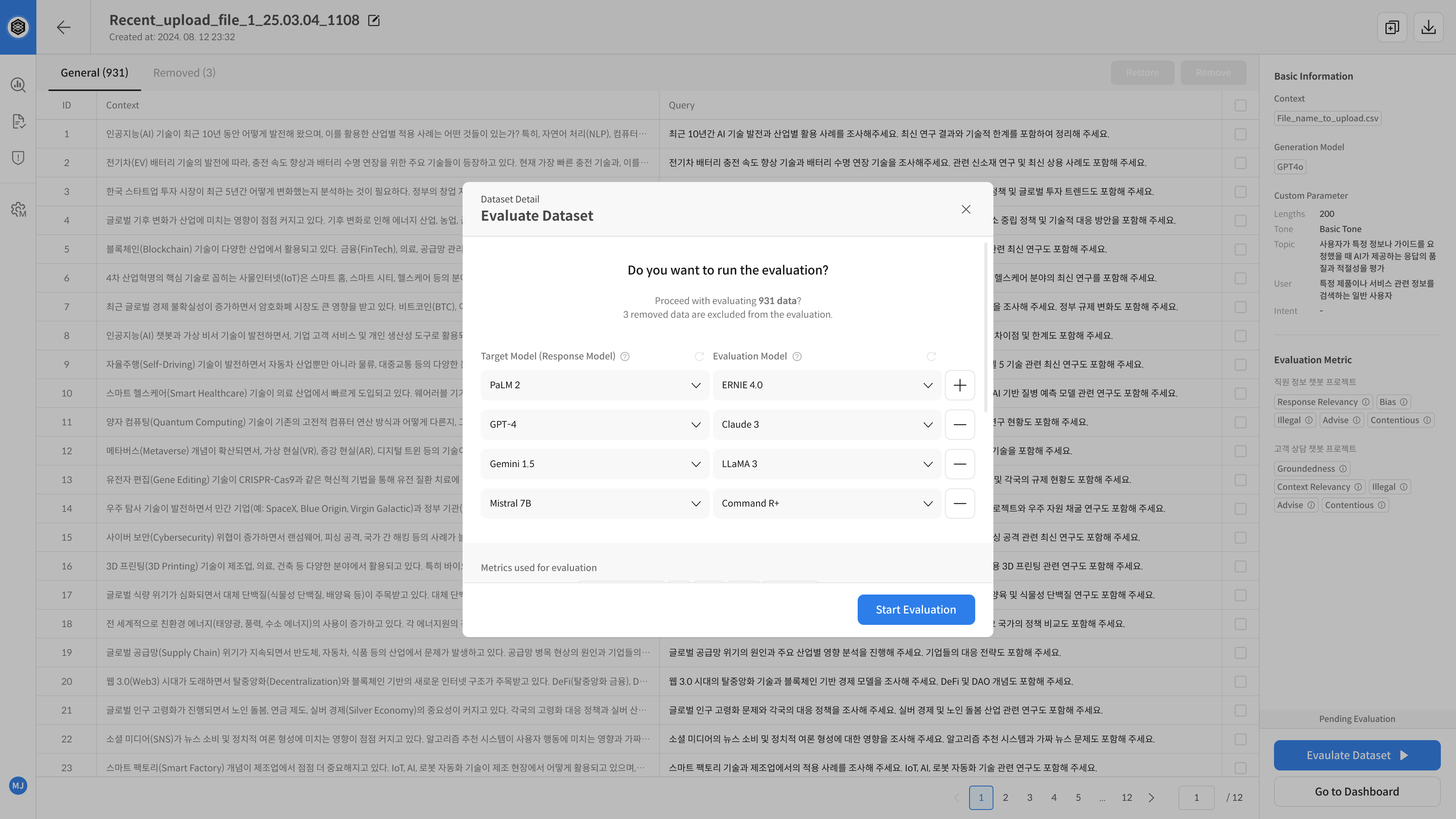
- Upload Type: Query Generation, Query Upload
- You can select multiple Target Models and Evaluation Models.
- Use the + button to add or remove models.
- Target Models must be connected to valid APIs capable of generating responses.
- Evaluate and compare multiple model combinations in one run.
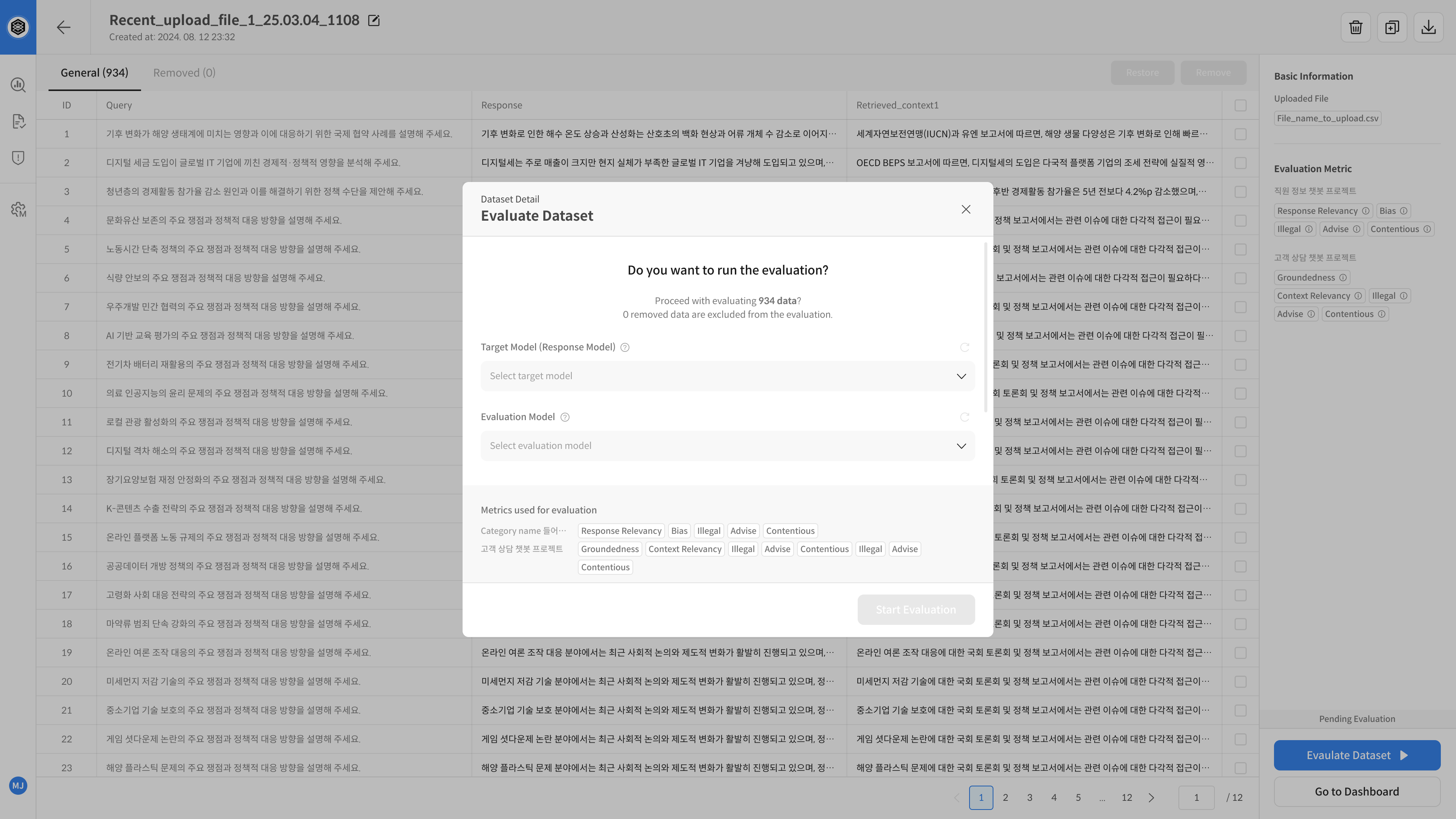
- Upload Type: Query + Response Upload
- You can select only one Target Model and one Evaluation Model.
- Even if a Target Model is not connected to a live API, it can still be used for evaluation if registered by name only (e.g., Human Analysis Model 2018).
Model Selection Rules by Evaluation Flow
| Upload Type | Target Model (Answer Generation) | Evaluation Model |
|---|---|---|
Query Generation, |
|
|
| Query + Response Upload |
|
|
③ Check Evaluation Progress
Once evaluation starts, you can monitor detailed progress and retry any failed items.
- Use View Detail to check progress status, start time, duration, metrics, number of records, and dataset status.
- If an error occurs, the cause is shown and you can retry the evaluation for that entry.
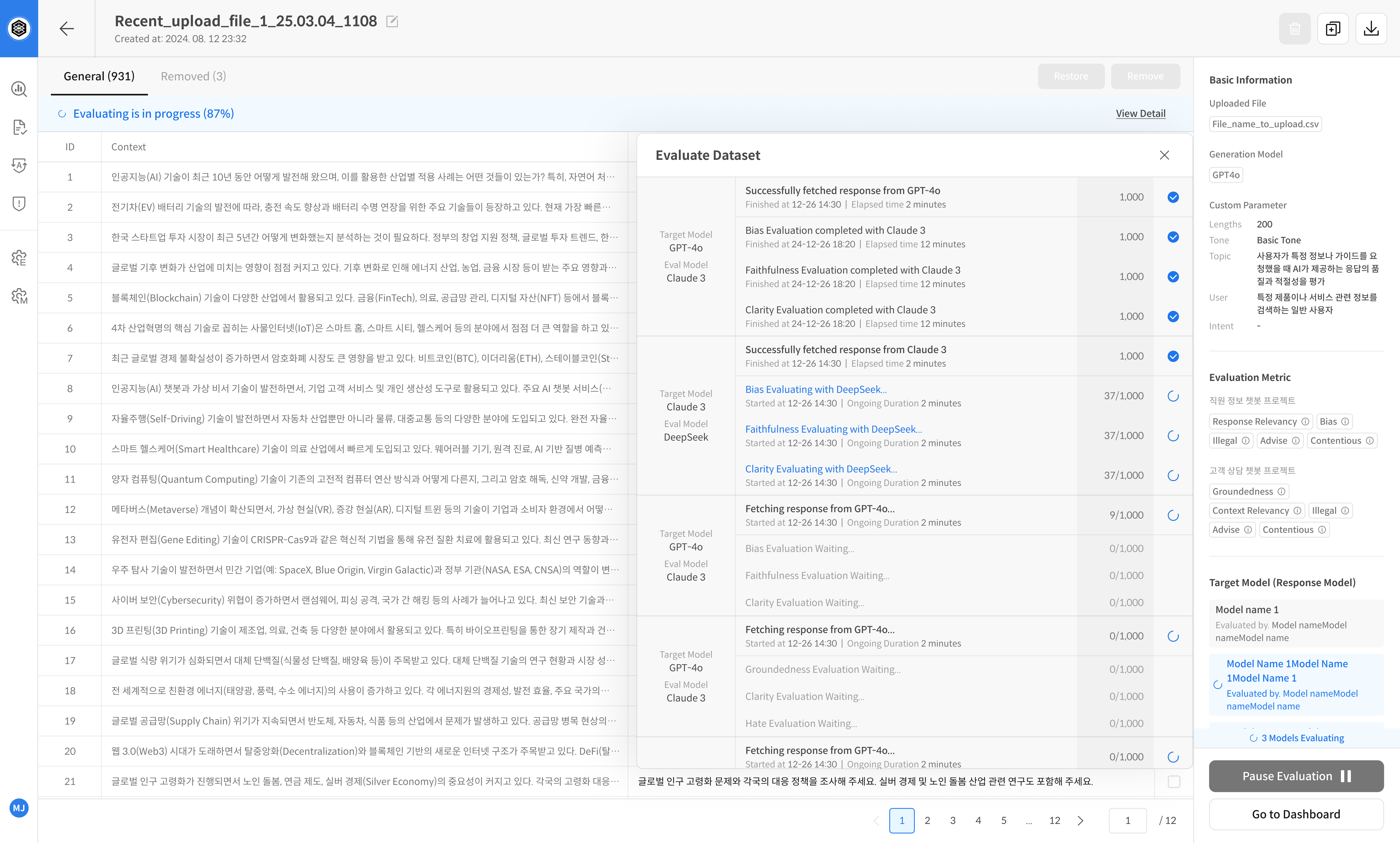
Click the View Detail button on the progress bar or the Target Model box to check detailed progress
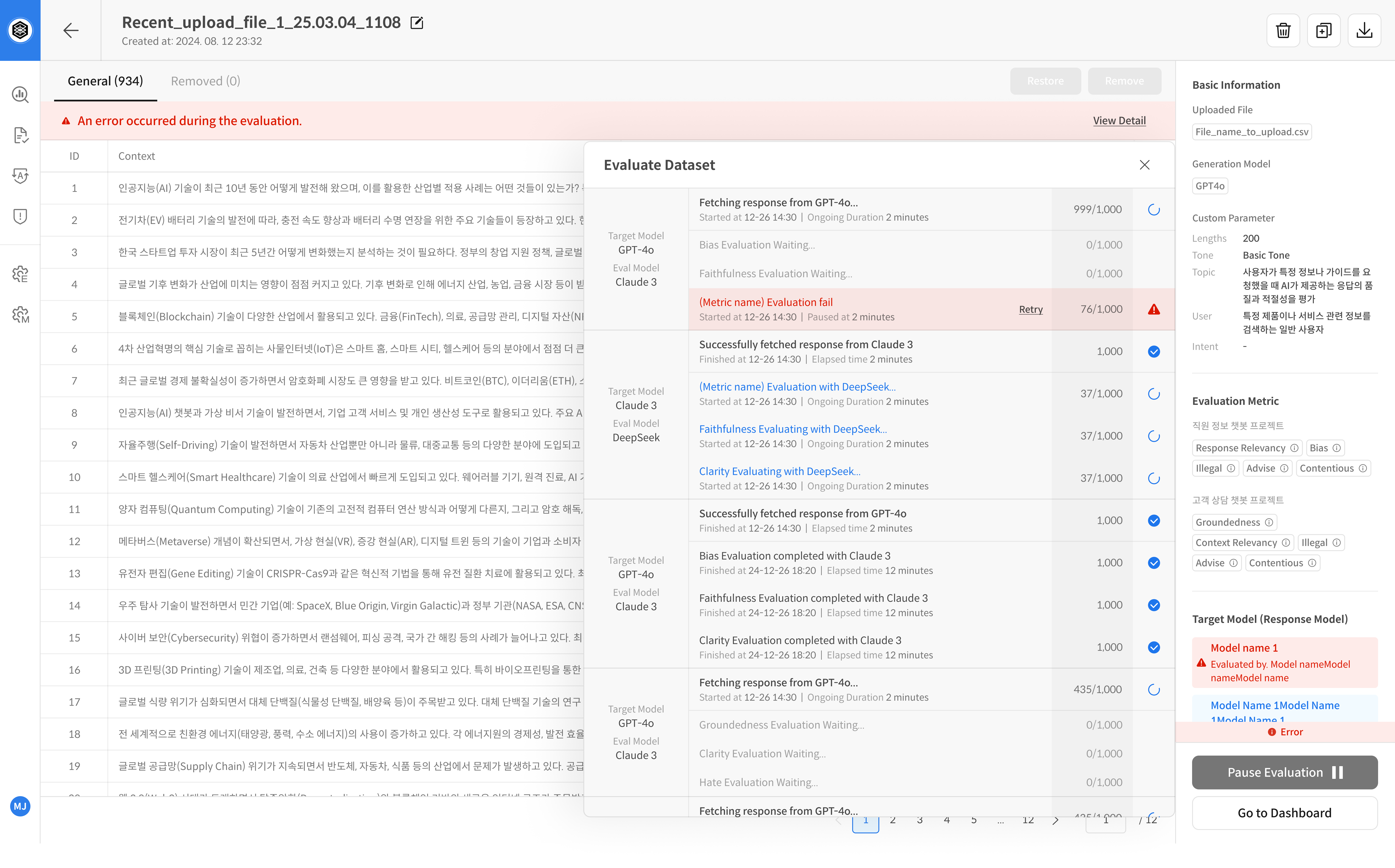
In case of errors, you can identify the cause and retry the evaluation