BEIR Leaderboard
If you use a dataset that satisfies certain data conditions in a RAGAs Task,
a standardized BEIR benchmark evaluation is automatically executed along with the Judge evaluation, and you can check the evaluation results at the top of the dashboard.
Step 1. BEIR Evaluation Automatic Execution Conditions
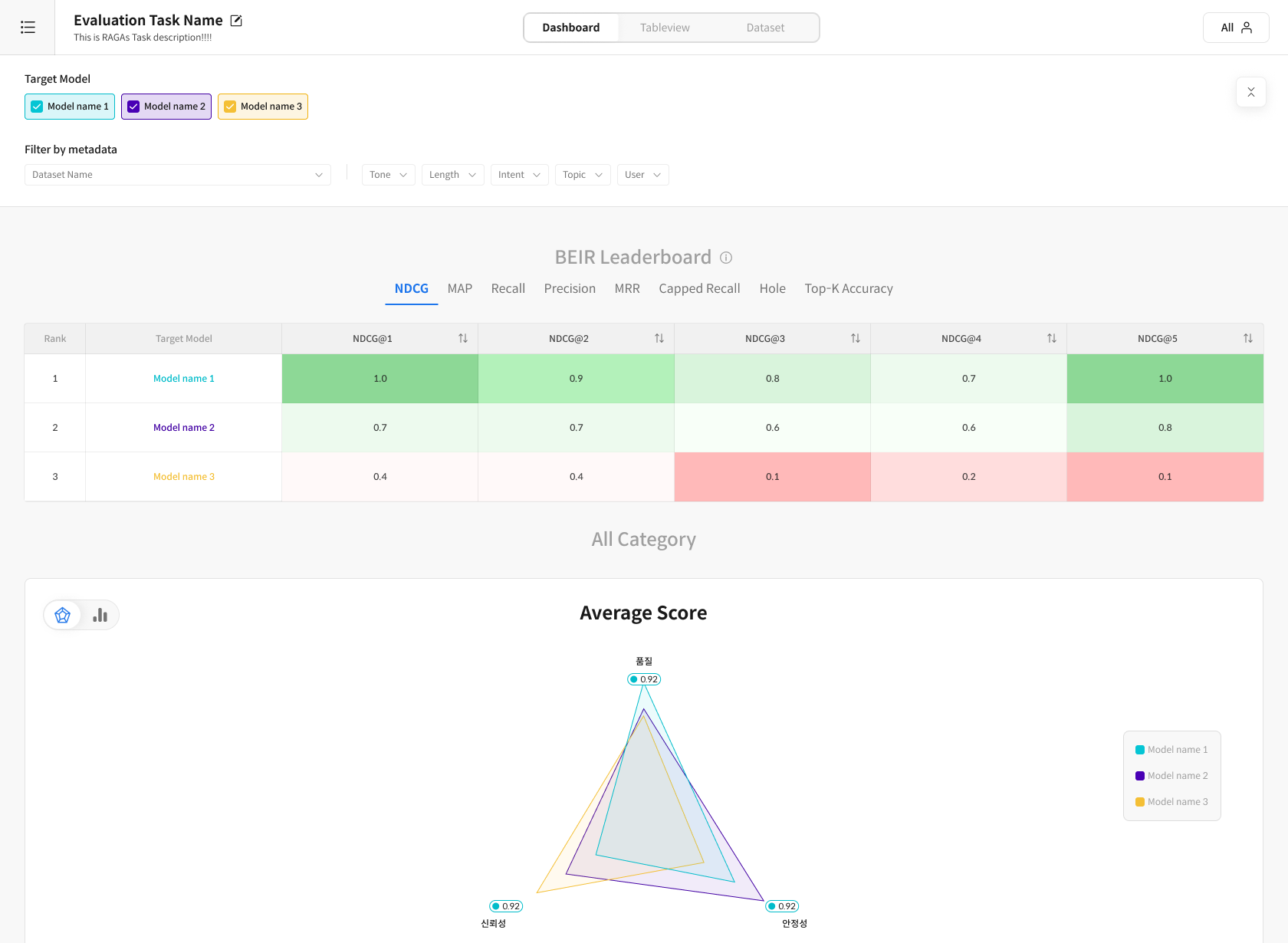
If you use a dataset that satisfies certain data conditions in a RAGAs Task,
a standardized BEIR benchmark evaluation is automatically executed along with the Judge evaluation, and you can check the evaluation results at the top of the dashboard.
For the BEIR evaluation to run automatically, the Dataset must include the following special columns:
※ If there are multiple chunks or documents to refer to, you can refer to all columns by adding a number (1, 2,...n) after the Excel column.
-
Query required columns: One of the following column names must be included:
gold_chunk_n,gold_chunkn,gold_context_n,gold_contextn -
Response Set required columns: One of the following column names must be included:
retrieved_chunk_n,retrieved_chunkn,retrieved_context_n,retrieved_contextn
Step 2. Evaluation Progress Flow
If you select a Dataset that satisfies the conditions, the system displays a modal to select whether to include the BEIR evaluation.
Users can directly choose whether to proceed with the BEIR evaluation.
① Include BEIR evaluation If you check the checkbox, the BEIR evaluation will be performed together.
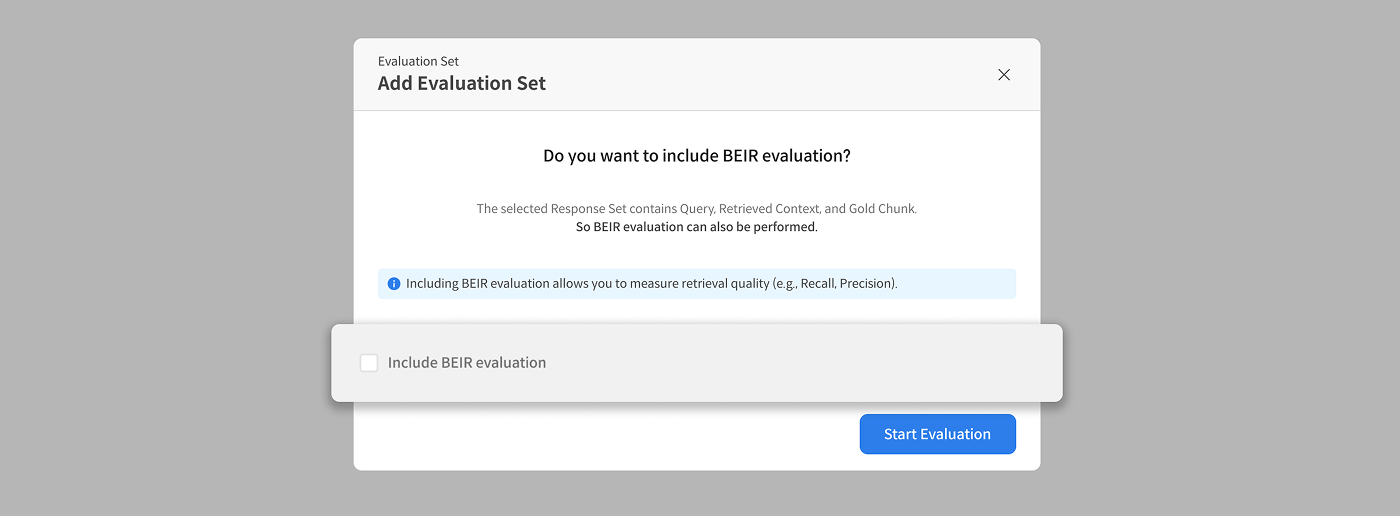
Modal screen to select whether to include BEIR evaluation
② When checked, the K-List input field is activated.
- e.g.,
1, 2, 3, 5, 10(enter separated by commas)
③ When you click Start Evaluation, the Judge evaluation + BEIR evaluation proceeds simultaneously.
- If not checked, only the Judge evaluation is performed.
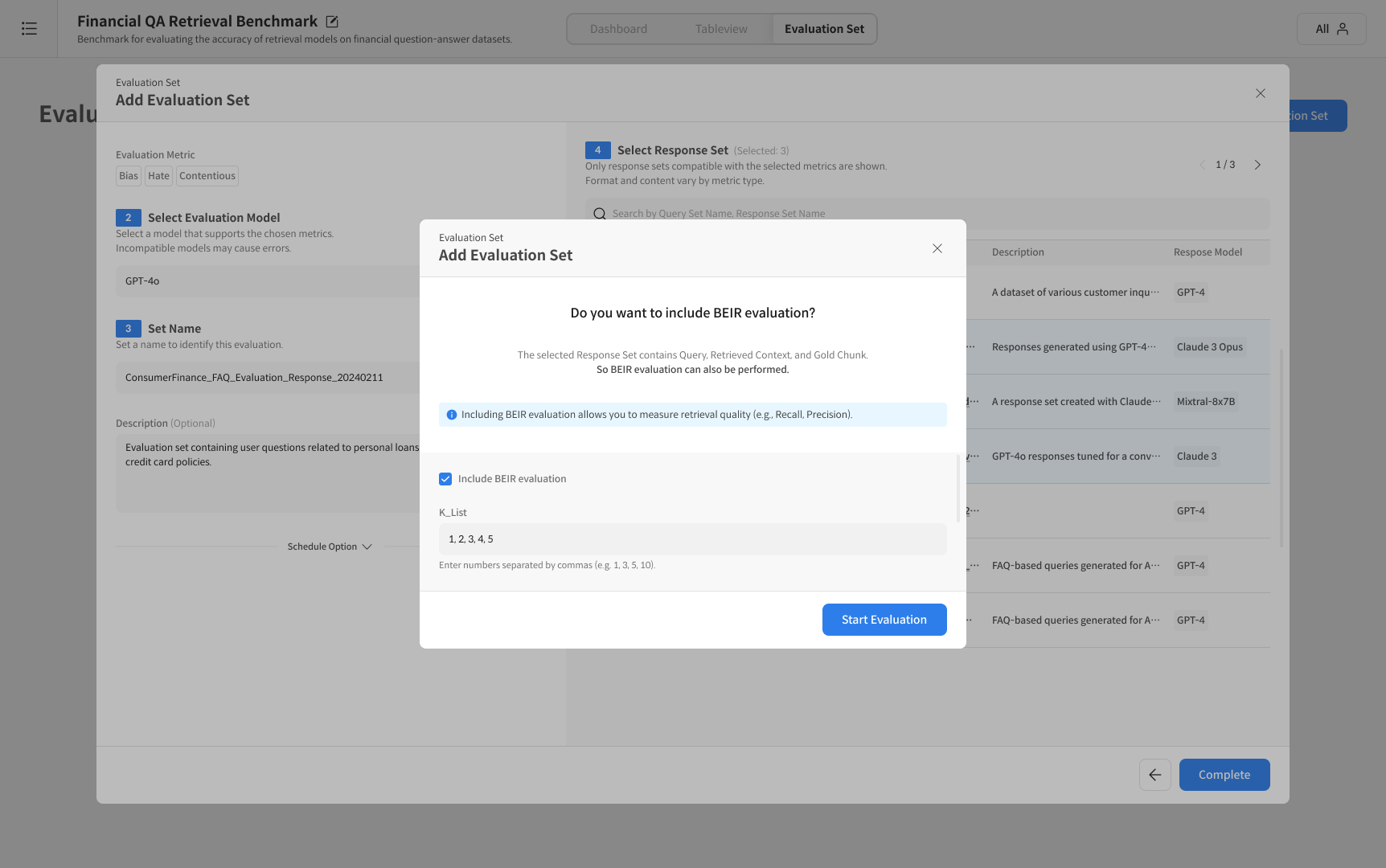
K-List setting screen
The BEIR evaluation measures Retrieval quality (Precision, Recall, etc.) together.
④ Check results
When the evaluation is complete, the BEIR Leaderboard is activated at the top of the dashboard,
and you can check key metrics such as Precision / Recall / F1 based on the entered K-List.
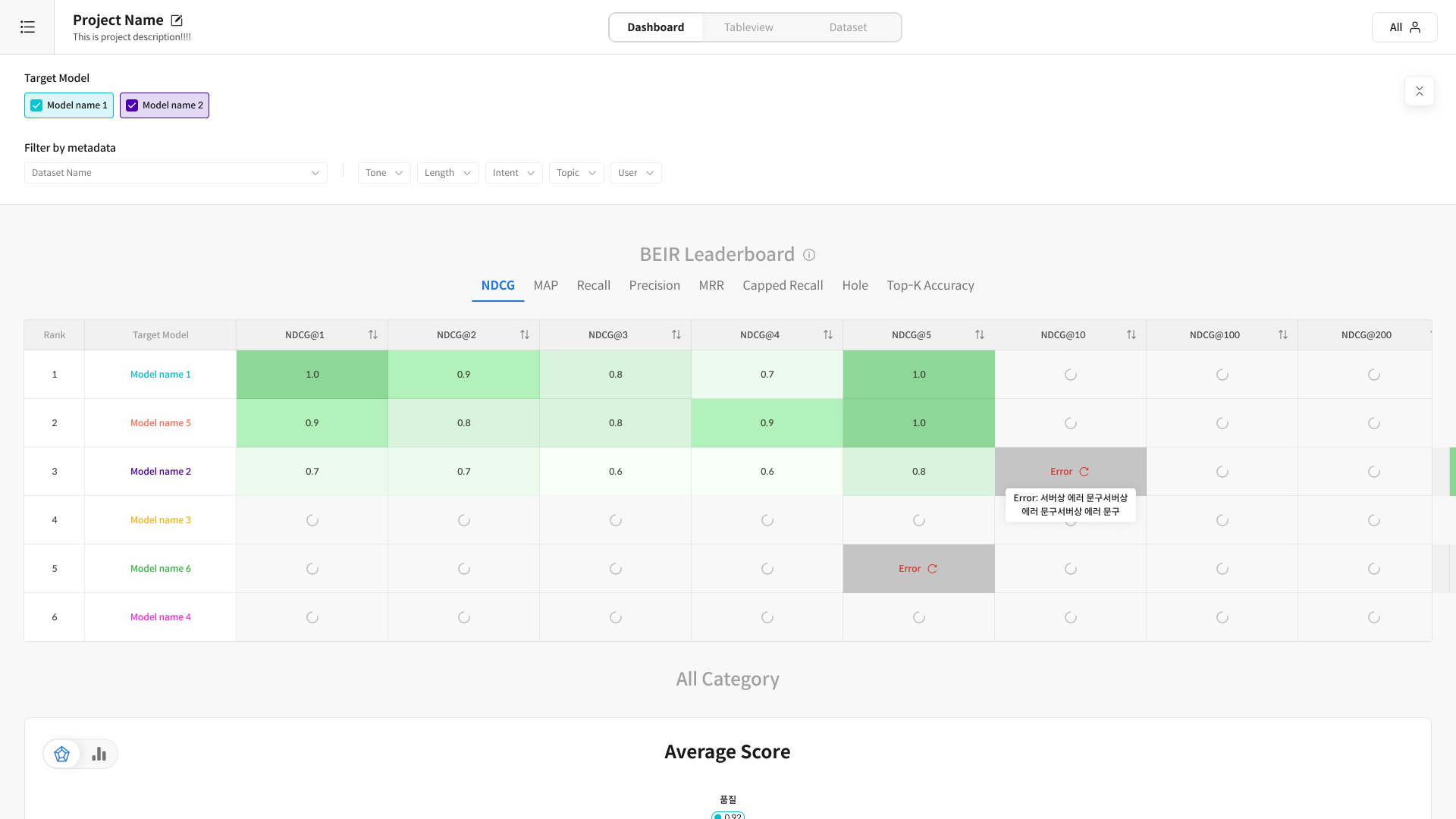
BEIR Leaderboard screen example
- There is no "Pause" function for the BEIR evaluation.
- The BEIR evaluation is executed on a Response Set basis.
If you select the same Response Set, only one result will be displayed in the evaluation list. - The results can be checked on the Dashboard along with the Judge evaluation.