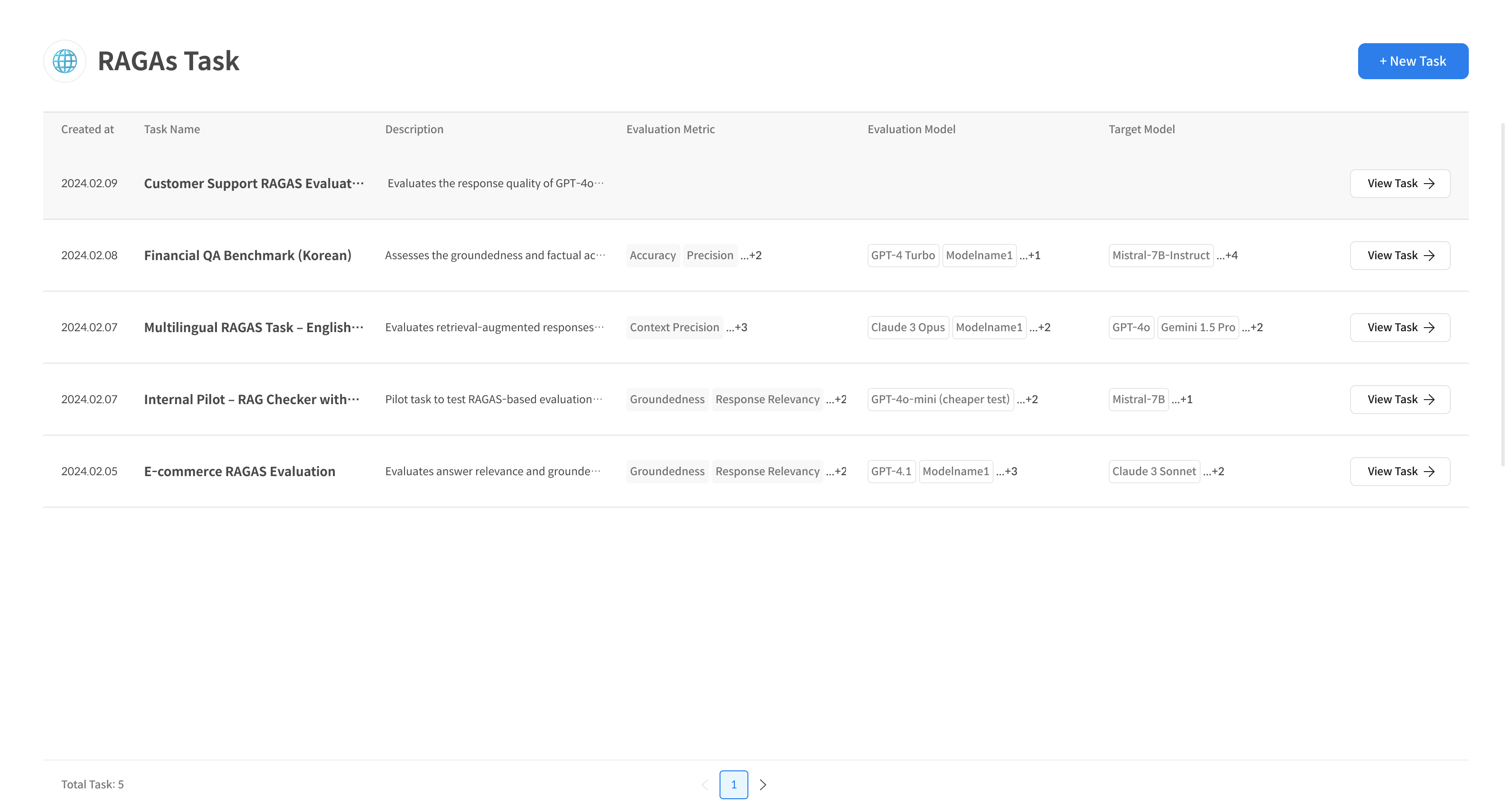
Step 1. Create Task
① Enter RAGAs Task Creation
Click the [+ New Task] button at the top right of the [RAGAs Task] page to start a new evaluation job.

② Enter Task Information
Enter the name and description of the Evaluation Task. Set access permissions for each user (default: All Users).
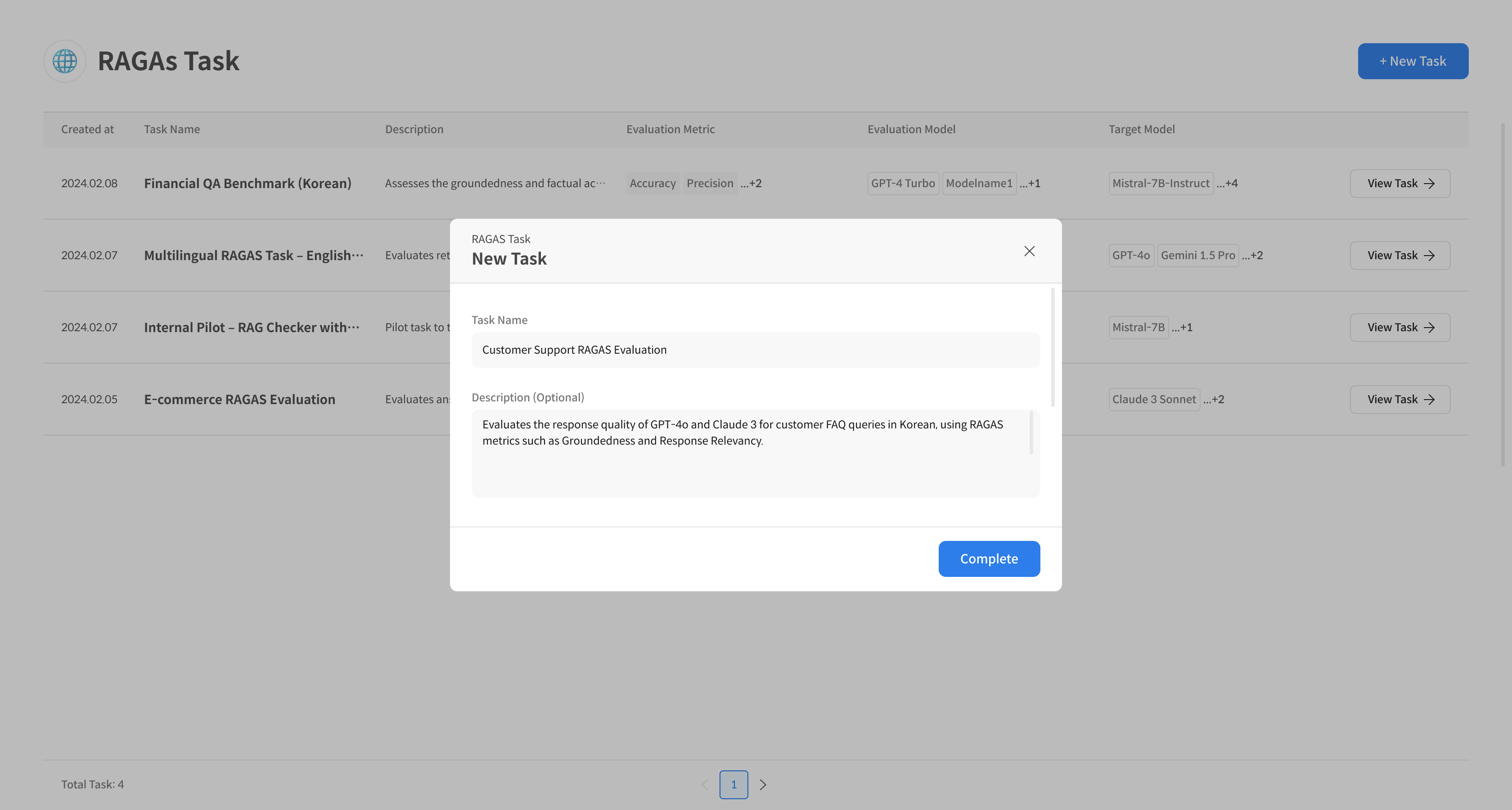
③ Complete RAGAs Task Creation
Complete Task creation by selecting the [Complete] button. The created Task can be found at the top of the list.