Global User List
The Global User List is a feature available only in the On-Premise environment.
It is accessible exclusively by the Super Admin, who can centrally manage all accounts across the system.
In the SaaS environment, account creation and permission assignments are handled by SelectStar.
Key Functions
- View all users across workspaces
- Add a new account (+ New Account)
- Set the primary user type (User Type) — either
Super AdminorUser/Admingroup
💡 Primary User Type refers to the global access level.
Workspace-specific roles (Admin / User) are assigned later through Workspace User Management.
Step 1. View All Users
You can see all accounts in the system on a single screen, regardless of workspace.
The table displays creation date, username, user ID, and User Type (permission).
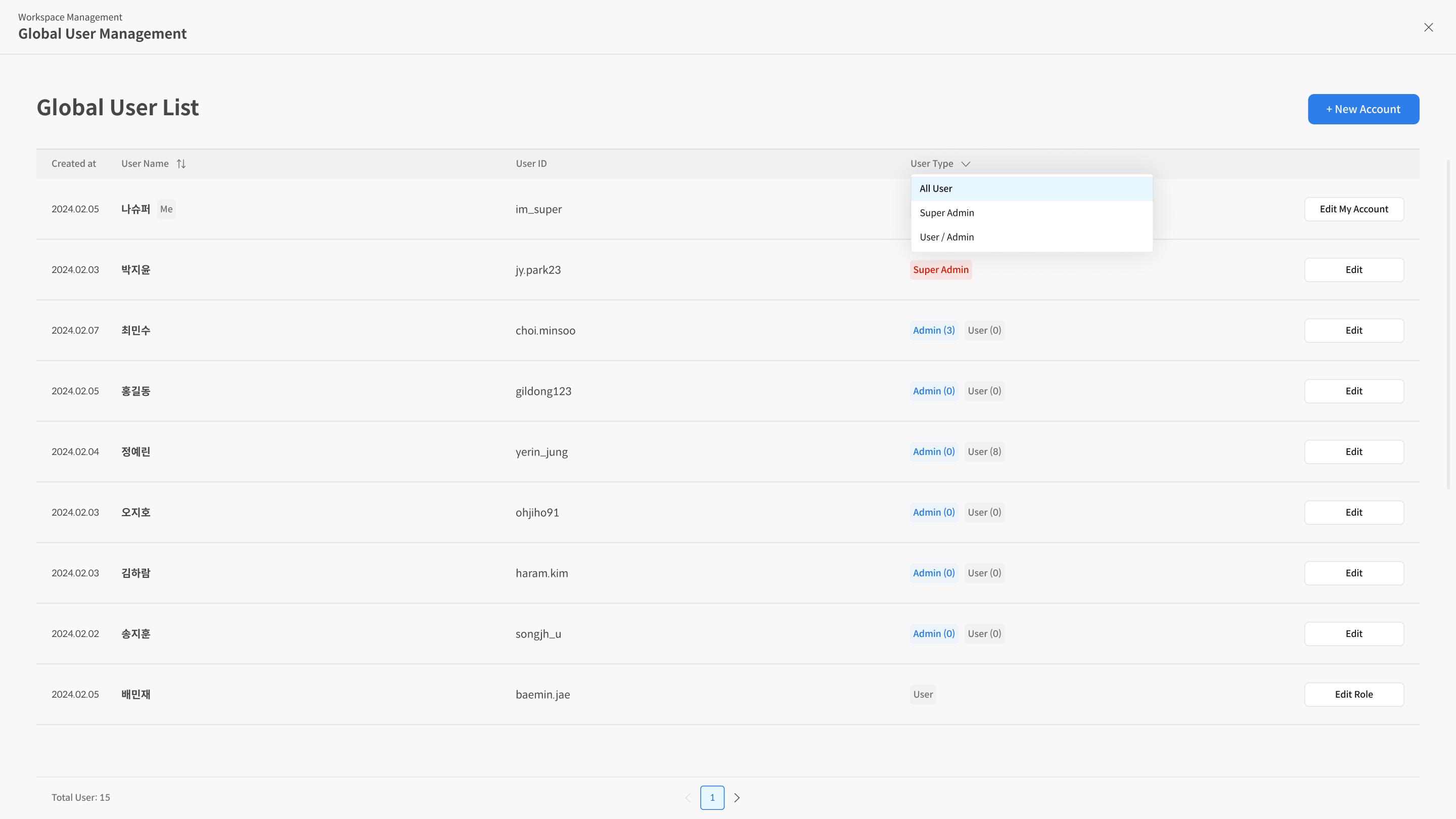
- Click a column header to sort the list.
- User Type badges are shown as
SUPER_ADMINorAdmin, User.
Step 2. Add a New Account (+ New Account)
① Enter details → ② Select User Type → ③ Complete
The new account will appear in